Microsoft Dynamics Technical Conference 2015, Day 2 report

Hello world!

If you are not attending #DynTech2015 may I say you are missing a great thing. But you knew that already. You are here to read about the sessions. So please accept this, my report from the trenches, for Day 2.

This morning we had a little fun and a few of us went to the first Starbucks (Starbucks opened its first store in 1971 in the Pike Place Market in downtown Seattle) and Pike Place Market (a beloved century-old Seattle treasure of fish, vendors, and a Ferris Wheel) to see the fish (a monkfish won our ugliest fish award). We didn’t dally, as we had to hurry off to our sessions.

Connector for Microsoft Dynamics – connecting Microsoft Dynamics AX and Microsoft Dynamics CRM: I am new to the CRM side of things, so take this report as the viewpoint of a newbie. I’ve been wanting to branch out, and thought the tech conference would be the perfect place to get my feet wet. The presenter, Chris Hetzler, did not discuss installation, configuration, setup, etc. The class assumed that it was already installed and we wanted to work with it in place. He gave an overview of the connector (“Robust integration that just works”) and its features and popularity. It does not support customizations for AX 2009, but it does support out of the box 2009. It works with CRM 2011 forward. Do you use Management Reporter? If so, you have used the connector yourself. What I enjoyed about the class is that the speaker presented several typical errors/problems, or as we sometimes say, “gotchas.” For example, the connector does not support polymorphic types, so the out of the box AxdCustomer is no good. He showed us how to create a non-polymorphic (monomorphic? Hmm) version of AxdCustomer. He gave and explained several code pieces that we’d need. He explained why we should use a guid instead of a RecId (recIds are not guaranteed not to be reused). When you run the AIF Document Service wizard, check the two boxes that the wizard defaults to unchecked: Generate AxBC classes and Regenerate existing AxBC classes. Another common trip-up is that in the object provider configuration file, the field called QueryName should actually contain the service’s class name. We are encouraged to visit the blog at http://blogs.msdn.com/b/dynamicsconnector/

Environments for Microsoft Dynamics AX implementations: Best practices for managing your code and data:  Kirill Val’s sessions are SRO because he is an engaging and informed speaker. This one was no different. I particularly liked his explanation of management’s view: Development plus dollars = production. J Kirill talked with good experience on the flow of both code and data: what companies do and what is recommended. He acknowledged that there are tradeoffs when customers do not want to spend the money to do the recommended, and talked to tradeoffs that can be made, and ones that shouldn’t be. He discussed many best practices in the “operational” side of things to make movement of either data or code much less error prone. His code guidelines for example, said that we should model strategy and best practices, define a branching strategy, and develop company-specific best practices. His development environments discussion talked about a private AOS vs Shared AOS topology, version control, and an automated build. By the way – automated builds are highly recommended and a sample script can be found at https://gallery.technet.microsoft.com/scriptcenter/Build-and-deploy-for-b166c6e4 . You’re welcome. Moving code required discussion, too, of course, and you heard it here first that they may or may not be working on the element ID problems for the next version. Moving data has many tools available: backup and restore, configuration manager (which is on LCS, which is still playing – and will continue to play – a prominent role in Microsoft’s going forward strategy), test data transfer tool, DIXF – data import export framework, and others. I have many, many more notes from this session, but if the paragraph gets any longer, I’ll stop reading it, and I wrote it! 😉 The talk was chock full of tips learned from experience and should be at the top of your list when it gets posted online.

Customizing help by using Task Recorder, Word, and HTML: This was a lab, with each machine set up to go. Margo Crandall was there to assist (and I was not shy about calling on her!). The benefit of taking a lab which is a repeat, is that a conscientious instructor can update the lab instructions with lessons learned from the first session, so that the second one goes more smoothly. In fact, it went much less than the time allotted, and I took a quick look at the other labs on the machine: Explore specific features of the advanced warehousing stack, and Data migration using Microsoft Dynamics import export report framework. The Customizing Help lab was written very clearly and in just a short time, I had used task recorder to save instructions for a specific thing I wanted the users to see/do in the exercise, and updated the help with these instructions. I was surprised how easy it was, and am glad I took the lab to learn that. The DIXF lab was more complicated than one would think from the title (it used ODBC data sources) and I did not try the warehousing one. I was busy trying to hunt down coffee, which seems to be in short supply at the convention center, despite the fact that we are in Seattle, probably the coffee capital of the country! (Organizers: do you think that after the session after lunch, we might need some beverages?) If, when they post the sessions, they make pdf’s available for the labs, do try them. You just might be surprised at what you can do with just a little guidance.

Cloud based integration with Microsoft Dynamics AX: I won’t pretend this was an easy one for me, but as with all of the sessions, it was enlightening. We have heard over and over this conference that Microsoft is heading its strategy to “Mobile-first, cloud-first” and this session was to help us prepare to move to the cloud (even in part). We discussed the methods that can be used for AX integration (services and AIF, .NET business connector, .NET interop), and challenges faced in the cloud (for example, latency, interoperability, scalability, mobile access). Paul Wu discussed the Service Bus Adapter and how to find more information on it (Customer Source for a video from last year’s conference). He discussed the requirements, and details on the configuration (configure windows azure, publish AX services using AIF, develop a client application). He was good at using demos to show us how it is done. Resources available to us include a white paper on developing mobile apps, the developing windows store apps which can be found on msdn, and others.

Introduction to Azure infrastructure as a service (IaaS) was my last class of the day. Nicholas Johnson talked about the importance of Azure in Microsoft’s going forward strategy – and make no mistake, it’s key. Microsoft is clearly committed to investing in the cloud and will continue to push us to use it. “Azure is Microsoft’s cloud computing platform” and they have opened 19 Azure datacenter regions. There are several ways to access Azure (MSDN, trial accounts, partner access, enterprise agreement, open, and pay as you go). Once we have it, we can create a new image, and the speaker was very thorough in going through the nuances of creating the VMs. You can also upload your own VMs (thanks to the audience member who asked that question!). How you should allocate your machine. Why you should continue to backup even when the cloud replicates your data. Why you should put your components on separate (virtual) disks. He discussed the server setups available – the A family, the D family, and the G family (you can call it by its proper name, Godzilla, if you prefer) and about upgrading and downgrading them. The gee whiz part of the presentation was “how to set up a virtual network” including one which has different components in the cloud and stored locally. All in all, a reasonably packed session which showed lots of possibilities with using AX on Azure.

That was my sessions for today. It’s too bad that there’s just one more day to learn and meet people! Please know that I was promised a few times today that the sessions WILL be going online, but I am just trying to put out same-day impressions as a heads-up until they do go online and you do get a chance to look at them.

On a personal note, I was thrilled to see our presence here – its biggest at any event other than our own company meetings, to my knowledge. I am truly enjoying interfacing with both fellow Dynamics people, and coworkers, for this all-too-brief visit to The Cloudy City.

Happy DAXing!
Posted in AX2012, AX2012 R3, AX7, Dynamics AX | Tagged , , | Leave a comment

Microsoft Dynamics Technical Conference 2015, Day 1 report

Hello all!

If you are not attending #DynTech2015 may I say you are missing a great thing. You know it will be good when people come from as far away as Sweden and Australia to join. It is typically the only time my company lets me out in public 🙂 because it is so worthwhile. Please accept this, my report from the trenches, for Day 1.

Keynote: It was an exciting keynote, as always full of hope for the future. I would say it went smoothly as opposed to the past and they were able to generate real excitement about what was going on. The speakers were Mike Ehrenberg and Kirill Tatarinov. As Tommy Skaue tweeted, the forecast is Cloud-y. Growth is very high and the cloud will enable us to sustain this growth. The cloud is a three-prong cluster consisting of Azure, Office 365, and Microsoft Dynamics, enabling the enterprise to move forward. Microsoft is itself implementing these changes within itself, around the world, to much success. Collaboration will be much easier with new social media changes; for example, CRM will seamlessly link to Lync, OneNote, and Yammer.

Consuming Azure machine learning services in Dynamics AX: I had a last minute change of schedule here, and ended up attending this class instead of the one I’d planned. They showed a very impressive demo on a web store, and how it can use machine learning to increase sales and increase customer satisfaction. Warning: some knowledge of statistics helpful (I will have to reach back just-a-few years to remember my graduate statistics class!) but not required. They talked about the Call Center and how that ties in with machine learning as well. The best part of it is that they used a real company as an example, not Contoso. And the company’s results in only four months were very impressive.

General Session – Microsoft Dynamics AX: The speakers were Daniel Brown and Sri Srinivasan, so naturally it was a packed session, even in the largest room. In this session, it was hit home that Dynamics is becoming very mobile-focused. “Stay connected when on the go.” There was a lot of focus on how end users can use the applications they need without the need for a desktop – particularly on a phone or tablet. They showed us their “Omni-channel solution” where a (real) company is enabling its people to use tablets to do their jobs. In addition, Microsoft has made sure they have given us several good reasons to move to Azure – lifecycle services, disaster recovery, excellent use of proof of concept. A stunning statistic we got was that more than 80% of Fortune 500 companies are using Azure, and customer base is increasing weekly. Microsoft is working toward an increased cadence, so releases will be neither as infrequent nor (hopefully) (monstrously) big as before. As far as an announcement on AX ‘7’ (elsewhere called Rainier) we should look for something around Convergence.

Understand how to utilize Microsoft Dynamics CRM mobile options to improve user productivity on the go: CRM is focusing, it appears, on two things: transform your business with mobile, and security. It seems much of this session was covered under NDA, so I will not go farther than that.

Development best practices and X++ coding patterns in Microsoft Dynamics AX: This was a very good class and I’m glad I attended. However, it was billed as a level 300 class but I’m not sure it was that. It was probably level 200. At any rate, I not only picked up some good tips which I will bring back to my company, but also enjoyed listening to a good discussion on the advantages and disadvantages of event handlers and delegates. There are both cloud (issue search, customization analysis tool, cloud-powered support, provisioning development environments) and non-cloud (compiler, best practices tool, trace parser) tools to use to check your code.

Finally, Microsoft made its people in many different areas available to us for a Meet the R&D Team during an evening reception.

I got a little star struck by all the AX big shots I saw there today, both speakers and attendees. How can one not be awed by this gathering of the greats!

Stay tuned for more tomorrow…

Happy DAXing!

Posted in AX2012, AX2012 R3, AX7, Dynamics AX | Tagged , , | 1 Comment

Microsoft Press discounts for MCPs

If you have passed a Microsoft certification exam, you are probably an MCP. MCPs have been given a discount (I get the impression it’s for a short time) at Microsoft Press.

It’s 40% off print books and 50% off eBooks with a special discount code – a fabulous savings!

Log into Microsoft training and certifications site and navigate to Resources > More information > Microsoft offers for MCPs and you will see the codes.

I just successfully used it.

Thanks to Patrick Thomas (Microsoft) for letting us know!

Happy DAXing!

Posted in Dynamics AX | Leave a comment

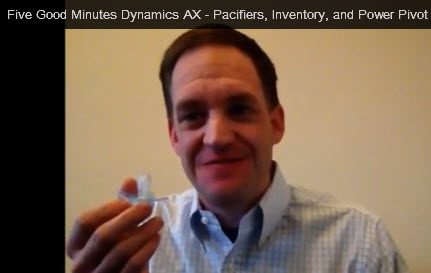
Five Good Minutes – The Pacifier

Happy 2015! Hope you all have a wonderful, fun-filled and AX-filled New Year!

We will kick off the new year with mention of a new Five Good Minutes by my colleague Chad Carnes – which I always enjoy seeing.

The official description:

“In this episode of Five Good Minutes Chad Carnes highlights the Inventory Value Report in Microsoft Dynamics AX. He show how any functional user can combine an AX Report with Power Pivot reporting to create simple answers to complex reporting problems.”

My summary:

Chad simply and easily shows you how you can run an ordinary AX report, leverage built-in functionality to save an AX report to Excel (including both running it to show on your screen and alternately to a location), and “slice and dice” to show the results you want – for example, groupings, subtotals.

But the really cool extension Chad shows here is that you can easily use Power Pivot here to effectively create drill down functionality for high level reports.

Everyone reading this can imagine the possibilities…

Click the image below to go to the blog post with the video.

Go view, have fun, and as always, Happy DAXing!

FiveGoodMinutes20150105

Posted in AX2012, Video tutorials | Leave a comment

2014 blog in review

NB: Thursday is my productive day, clearly!

The following is generated by WordPress.

Happy DAXing!

The WordPress.com stats helper monkeys prepared a 2014 annual report for this blog.

Here’s an excerpt:

The concert hall at the Sydney Opera House holds 2,700 people. This blog was viewed about 16,000 times in 2014. If it were a concert at Sydney Opera House, it would take about 6 sold-out performances for that many people to see it.

Click here to see the complete report.

Posted in Dynamics AX | Leave a comment

Some Dynamics AX help resources

I just found some help resources and wanted to share my list here. Hope it helps you out!

Outside the product:

Microsoft Dynamics AX microsoft.com/dynamics/ax

TechNet http://technet.microsoft.com/en-us/library/gg852966.aspx

MSDN Developer center http://msdn.microsoft.com/en-us/dynamics/ax/default.aspx

Microsoft Dynamics Community community.dynamics.com

CustomerSource mbs.microsoft.com/customersource/northamerica

PartnerSource mbs.microsoft.com/partnersource/northamerica

InformationSource informationsource.dynamics.com – being decommissioned

Dynamics Learning Portal mbspartner.microsoft.com

By phase

Evaluating the product

Microsoft Dynamics AX microsoft.com/dynamics/ax

Microsoft Dynamics Marketplace http://dynamics.pinpoint.microsoft.com/en-US/home

Customization phase

MSDN Developer center http://msdn.microsoft.com/en-us/dynamics/ax/default.aspx

Microsoft Dynamics Community community.dynamics.com

Implementation and rollout

TechNet http://technet.microsoft.com/en-us/library/gg852966.aspx

InformationSource informationsource.dynamics.com

Microsoft Dynamics Community community.dynamics.com

CustomerSource training

Microsoft learning training https://www.microsoft.com/learning/en-us/default.aspx

Implementation

TechNet http://technet.microsoft.com/en-us/library/gg852966.aspx

Microsoft Dynamics Communities: Forums, blogs, and videos community.dynamics.com

Maintenance and support phase

TechNet http://technet.microsoft.com/en-us/library/gg852966.aspx

Microsoft Dynamics Community: Forums and blogs community.dynamics.com

AXSupport blog http://blogs.msdn.com/b/axsupport/

Partner sites

PartnerSource mbs.microsoft.com/partnersource/northamerica

Microsoft Partner Network https://mspartner.microsoft.com/en/us/Pages/index.aspx

InformationSource Library informationsource.dynamics.com – being decommissioned

Lifecycle Services

Lifecycle Services lcs.dynamics.com

How to find content

Bing and other search engines for publicly-available sites (CustomerSource, InformationSource and PartnerSource are not externally searchable)

Web search page: WebSearchAX (scoped search of TechNet, MSDN, Community, and Code samples)

AXSupport blog and Twitter @AXContent

Content strategy post on Inside Dynamics AX blog

Happy DAXing!

Posted in Dynamics AX | 2 Comments

Exam loading, please wait…

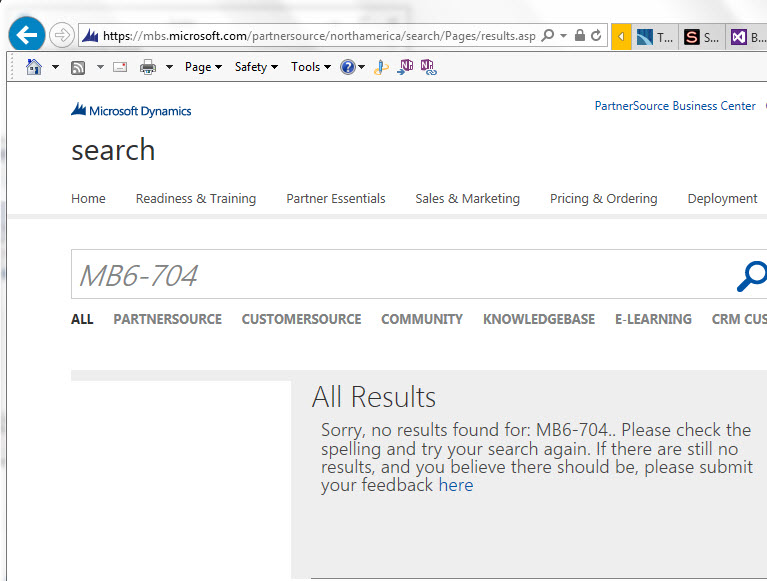
A week ago, I got very excited to hear on http://theaxapta.blogspot.com/2014/12/exam-mb6-704-microsoft-dynamics-ax-2012.html of a new development exam:

MB6-704 Microsoft Dynamics AX 2012 R3 CU8 Development Introduction Certification 

I’ve been waiting oh so patiently for more information! Still I find nothing in the Student Training Materials:

NoResultsFound

But all is not lost. I did find a couple of eLearning courses (80670 and 80671), AND they contain downloads. These downloads include PowerPoint files and “reference materials” which contain “online companion guides.” I have enough to keep me happy for a little while!

To look at the course descriptions, I cannot answer everyone’s burning question: What is the difference between the AX 2012 Development Introduction and the one for CU8? They do look very similar.

So, hang in there… we are slowly but surely getting information on our new certification exam!

Happy DAXing!

Posted in AX2012, AX2012 R3, Dynamics AX | 12 Comments

New AX statement of direction

A heads-up to partners: there has been a new statement of direction published at https://mbs.microsoft.com/partnersource/global/Sales-Marketing/Product-Strategy-Direction/StatementofDirection


PLEASE note that it contains confidential information; thus I apologize but cannot summarize or disseminate here. But I know that most of my followers are partners and will find a lot of value here.


Happy DAXing!

Posted in AX2012, AX7, Dynamics AX | 2 Comments

“Unretrieved” when browsing a table

There are many possible causes for the old “Unretrieved” to pop up.

With a tip of the hat to Kurt Hatlevik, who has been Happy DAXing since before I knew what a blog was – Happy DAXing!


Posted in AX2012, Dynamics AX | Leave a comment

Follow our AX MVPs on Twitter!

Just wanted to tip you all off, that I’ve created a Twitter list. It consists of all the 2014 AX MVPs that I could find on Twitter.

The Twitter list:

https://twitter.com/janeteblake/lists/ax-mvps-2014

The entire list:

http://mvp.microsoft.com/en-us/search-mvp.aspx?ty=a&ex=Dynamics+AX

Happy Tweeting?


Update: Tommy Skaue has a bigger list: https://twitter.com/skaue/lists/dynamics-ax-mvps/members

Posted in Dynamics AX | Leave a comment