Post 2: AI-Powered Job Hunting: Finding the Right Opportunities
Introduction
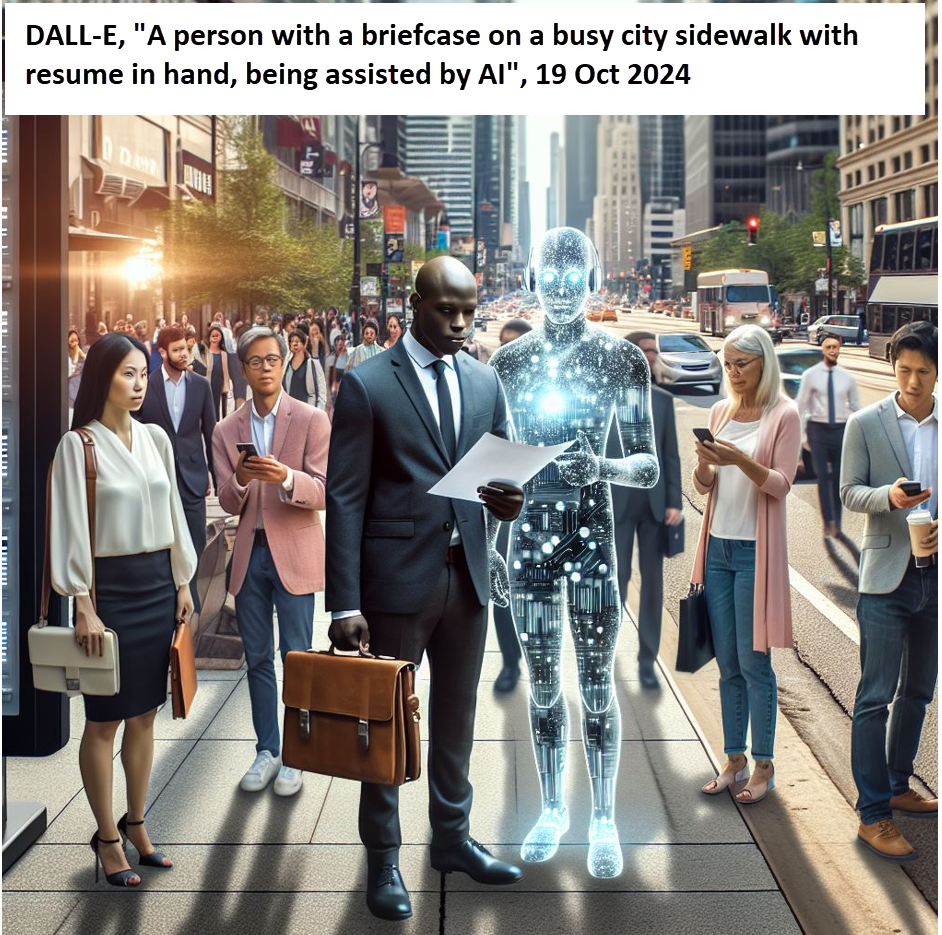
Finding the perfect job can feel like searching for a needle in a haystack. But what if AI could sort through that haystack? With AI-driven tools, your job search can become faster, smarter, and more personalized. From scanning thousands of job postings in seconds to customizing alerts tailored to your skills, let’s dive into how you can use AI to land your next big role.
Discussion
AI in job hunting is more than just algorithms predicting job matches—it’s about giving you the tools to work smarter, not harder. Here are a few ways AI is transforming the job search process.
Smart Job Matching
Platforms like LinkedIn and Indeed use AI-powered algorithms to do more than just keyword matches. They analyze your skills, industry trends, and experience to bring you personalized job recommendations. Ever had a job alert pop up that felt like it was written just for you? That’s AI at work.
Tailored Recommendations
No more irrelevant job alerts! These platforms learn from your job searches and applications to provide tailored recommendations. It’s like having a personal assistant who knows what you want before you do. The more you interact with job boards, the smarter they get, delivering highly relevant opportunities to your inbox.
Resume Optimization
Tools like Jobscan and ResyMatch.io analyze your resume against job descriptions to improve your chances of passing applicant tracking systems (ATS). These AI tools help identify the right keywords and format, so your resume doesn’t end up in the digital trash pile.
Interview Prep with AI
Preparation is key, and AI can help here too! Tools like Interview.ai simulate mock interviews with questions tailored to your desired role. They even offer real-time feedback on your answers, giving you a leg up before the big day.
Challenge
Now that you’re familiar with the benefits of AI in job hunting, let’s put it to the test! Here are more specifics to help you get started on your AI-powered job search. They fall under the general categories of leveraging job boards with built-in AI tools and using GPT models directly to search for jobs.
Try Jobscan (Freemium): Upload your resume and a job description, and let Jobscan show you how well your resume matches. It’ll point out areas where you can add keywords or improve formatting for ATS (Applicant Tracking Systems).👉 Visit Jobscan, upload your resume, and give it a try!
Test ResyMatch.io (Free): Don’t want to spend money? ResyMatch.io is a great free tool to compare your resume to job descriptions and boost your chances of getting noticed.👉 Go to ResyMatch.io, compare your resume with a job post you like, and see how much AI can improve your application.
I’m more the manual type. I like to feel I have control. Let’s use GPT models:Use GPT Models Directly to Search for Jobs. GPT models like ChatGPT can help you craft search queries that match your preferences. While they may not interact directly with all job boards, you can ask these models to help you refine and define what you are looking for in a job. For instance, you can 👉 use prompts like:
“Find me remote graphic design jobs in Austin for someone with at least 3 years of experience.” – I tried this one in Gemini and it linked to four job boards including an Austin-specific one, three freelance platforms, and two company websites (though they were on that Austin board I mentioned). It also gave me other more general job-hunting tips.
“List data analyst job openings in New York that require SQL skills.” I tried this in Copilot and was very impressed with the title, employer, location, salary, and skills of the five jobs it listed.
When you provide clear, specific details like job title, location, years of experience, and required skills, the AI can create a refined search query. While it may not run searches directly on platforms, you can take this query and enter it into job sites for more accurate results.
Summary
AI is changing the way we look for jobs, making the process faster, smarter, and more efficient. By incorporating AI into your job hunt, you’ll not only save time but also improve your chances of landing your dream job. So why wait? Try Jobscan, ResyMatch.io, or even experiment with GPT today and give your job search the AI boost it deserves!
Thank you for reading—now go optimize that resume!
Further resources
For more information on AI-powered job search tools, check out the following resources:
Series 3: AI-Powered Job Search: Navigating the Future of Work
Post 1: Creating and Tailoring a Master Résumé
Introduction
Did you know that the average job posting these days gets hundreds of applications? To stand out, you need more than just the right experience—you need the right tools. Enter: the master résumé. A well-crafted master resume can be a game-changer, making it easier to tailor your resume for each unique opportunity. But how exactly do you create one that works for you? Don’t worry, AI tools can help streamline the process and save you tons of time.
Whether you’re already familiar with resume writing or are just getting started, this guide will help you create and tailor a master resume that keeps you ahead in the job search. Let’s dive in!
New to AI? Check out Series 1: Exploring the Power of AI and Series 2: AI for Everyone: Unlocking the Potential of Everyday AI Tools for a great introduction to these tools!
Discussion
A master resume is a comprehensive document that includes all your work history, skills, and achievements. It’s essentially your career catalog, detailing everything you’ve done so that when the time comes to tailor it for specific job applications, you can easily pull out the most relevant details. AI-powered tools can help you maintain, organize, and edit this document with precision and ease.
Why use a Master Resume?
Here’s why a master resume is a must-have:
Efficiency: Once created, you can quickly pull the relevant sections to create a custom resume for any job.
Comprehensive: A master resume allows you to document everything without worrying about length or relevance upfront.
Time-saving: When applying to multiple jobs, you’ll save hours by having a go-to resource that contains all your career information in one place.
Higher hit rate: When you keep all your experience together, and use AI to pull out the relevant portions, you’re much more likely to get selected by both automated and manual resume reviewers looking for specific criteria and qualifications.
Tailoring Your Resume with AI
AI-powered resume tools, like Resume.io (free) or Zety (paid), can scan job descriptions and suggest which skills or keywords to highlight in your customized resume. Here’s how it works:
Keyword Optimization: These tools analyze the job description to match your experience with the employer’s needs.
Formatting Assistance: They can format your resume in seconds, ensuring it’s easy to read and looks professional.
Grammar and Spelling Checks: AI tools like Grammarly (free) help refine your resume’s language, making it polished and error-free.
Challenge
Ready to get started with creating and tailoring your master resume? Here’s a hands-on challenge to build your skills. I want you to know that I have done this all myself (and learned from it). All in the interest of research, of course.
Create your master resume
Gather your old resumes and select (up to) 5. I selected the widest time frame I could during different jobs. This is not a resume-writing tutorial; I trust you have them already; if not, AI can certainly help you with that! So can Microsoft Word, career coaches, books, etc.
Select an AI model. In my experience, I did well with Claude; I did not do well with Copilot, ChatGPT, or Gemini. However, that was before Gemini could take input files, which is no longer the case, so I encourage you to try Gemini.
Prompt it. Here is the one I used; feel free to take it and tailor it for you:
You are an expert career coach and resume writer.
Your goal is to create a master resume which can be trimmed to leave relevant portions for each future job applied for.
Find attached many resumes tailored to the jobs I was applying for.
Create one master resume in the same style, with all of the information in all of the resumes.
Format your response as a Word document.
4. Get back a resume and save it as your master/parent. Claude gave me a resume, though not as a Word document, which was 5 pages long. It really did a terrific job of consolidating everything. Remember to save it with a name indicating that it’s your everything resume, and not a normal one. Claude even knew exactly what I was doing and told me:
This master resume can serve as a foundation for creating tailored resumes for specific job applications. When applying for a particular position, you can trim down this master resume to highlight the most relevant experiences and skills for that specific role.
Use an AI tool to tailor it
You can use a platform like Jobscan (free version available) or Resumatch.io (free), but I’m going to walk you through doing it yourself.
Create a tailored resume. Go to your favorite model (I stuck with Claude) and provide it with a job listing and the resume you created earlier. Try this prompt, and notice the absolute beauty of the last sentence (yes, I’m proud of it):
You are an expert career coach and resume writer.
Your goal is to use the attached master resume to create a resume tailored for the job listing attached.
Create a smaller resume in the same style, with the relevant information for that job.
Format your response as a Word document.
Make a separate list of required/minimum qualifications and preferred qualifications which are not mentioned in the resume.
2. Now, have it evaluate the resume. Address the concerns it raised as far as missing qualifications (for instance, something may be missing from your master resume) and try again. Then ask the GPT:
Please use the job description attached earlier, and the updated resume attached here. Make a list of required/minimum qualifications and preferred qualifications which are not mentioned in the resume.
3. Do this iteratively until you’ve addressed all that you honestly can.
These two steps – creating and tailoring the resume – will help you develop a very easily optimized resume for every job application in no time.
Summary
Creating a master resume is a crucial step in modern job searching, and AI tools make the process much simpler. By developing a comprehensive document and then using AI to tailor it to each opportunity, you’ll be able to showcase your most relevant experience with minimal effort. Now’s the time to build your master resume and let AI take some of the stress out of job applications! In well under 30 minutes, you can have a polished master résumé ready for tailoring.
Thank you for reading! Keep your resume sharp and your job search smarter by leveraging these tools. Check back next week for AI-powered job hunting.
AI was used to create a draft of this post. I added my own personal touches and take responsibility for all of it. Also, forgive me for the term “master”, as it is considered offensive. I am still figuring out how to get the idea across properly. I used “parent” at one point but am not sure that conveys it as desired. Thanks for your patience.
Series 2: AI for Everyone: Unlocking the Potential of Everyday AI Tools
Post: Series 2 Wrap up
Introduction
What an incredible journey! Over the past few weeks, we’ve explored how AI fits into our daily lives, making everything from home automation to creativity just a little easier. As we wrap up AI for Everyone: Unlocking the Potential of Everyday AI Tools, let’s revisit what we’ve learned in each post and look ahead to how you can continue growing your AI knowledge.
Discussion
Here’s a quick look back at each post in the series and the exciting discoveries we made together:
Getting Comfortable with AI: Easy-to-Use Tools for Daily Tasks In this post, we kicked things off with the basics: easy-to-use AI tools that help you manage your day-to-day life. From task management apps like Todoist to translation tools such as Google Translate, we saw how AI simplifies our workflows, language barriers, and everyday productivity. No advanced skills required—just simple, practical applications that anyone can pick up. (FYI: I got hooked on Todoist while doing research for this post.)
AI in Your Pocket: Leveraging AI on Your Smartphone Next, we dived into how your smartphone is a powerful AI device. Whether you’re using voice assistants like Siri or Google Assistant or enhancing your photography with AI-powered apps like Prisma, AI fits right in your pocket. We explored how these tools are already transforming the way we interact with technology—making our lives more seamless, even when we’re on the go.
Boosting Creativity with AI: From Social Media to DIY Projects Post 3 focused on the fun side of AI—creativity! We looked at how AI is helping people design stunning social media posts, brainstorm DIY project ideas, and even compose music. Tools like Canva and Jukedeck make it easy to get creative without needing to be a tech whiz. Whether you want to make an eye-catching Instagram post or design a personalized logo, AI makes it all possible.
Smart Shopping with AI: Finding Deals and Making Better Decisions The fourth post covered how AI can turn you into a smart shopper. With AI’s ability to analyze prices, reviews, and even predict future sales, we showed how tools like Honey and ShopSavvy help you make informed purchases. Saving money and finding the best deals has never been easier, thanks to AI’s ability to sift through endless data and present you with the most relevant options.
AI in the Home: Making Your Space Smarter and More Efficient We stepped into the world of smart homes in Post 5, discussing how AI is transforming our living spaces. From automating your thermostat with Nest to securing your home with Ring video doorbells, AI helps make your home smarter, more energy-efficient, and even safer. The best part? You don’t need to be a tech guru to set these systems up. It’s as simple as downloading an app and following some easy steps.
Simple Steps to Explore More Advanced Tools Finally, we wrapped up with a peek at more advanced AI tools for those ready to dig deeper. Whether you want to analyze data with Tableau or experiment with media creation using RunwayML, we showed how even advanced AI platforms can be approachable. And don’t worry if you’re just starting out—many of these tools have free tiers, allowing you to experiment without a big commitment.
Challenge
Now that you’ve explored various AI tools, it’s time to take action! Here are two hands-on challenges you can try today to continue building your AI skills:
Creative Challenge: Design a Social Media Post with AI Head over to Canva and create an eye-catching social media graphic using their AI-powered design suggestions. Play around with layouts, colors, and even AI-generated images. Don’t overthink it—just have fun experimenting with the AI features to create something unique in under 10 minutes. Share your creation on social media and see what kind of reactions you get! (Hint: Remove the rocket ship icons. They are a dead giveaway!)
Smart Home Challenge: Automate a Task in Your Home If you haven’t explored home automation yet, now’s your chance. Use an AI-powered device like Google Home or Amazon Alexa to set up a basic automation. For example, automate your lights to turn on at sunset, or set up a morning routine where your coffee maker starts brewing as soon as your alarm goes off. It’s simple and only takes a few minutes—but the result will make your day more efficient.
These challenges are designed to help you put AI into practice in a tangible way. The best way to learn is by doing, so give one or both a try!
Summary
So, where do we go from here? The biggest takeaway is that AI is not some far-off, complex technology—it’s already here, and it’s for everyone. Whether you’re looking to boost your creativity, make smarter purchases, or even dip your toes into more advanced tech, there’s an AI tool out there waiting for you to explore.
Your go-do: Pick one AI tool from any of the six posts, revisit the linked article, and spend a few minutes experimenting. The more hands-on you are, the more you’ll see just how easy—and fun—AI can be!
Please tune in again next week, as we’ll be starting a new series: AI While Looking for Work.
Thank you for reading!
Further resources
Ready for more? Check out these posts to revisit what we covered:
Series 2: AI for Everyone: Unlocking the Potential of Everyday AI Tools
Post 6: Simple Steps to Explore More Advanced Tools
Introduction
Welcome back, enthusiastic trailblazers! 🎓 By now, you’ve been on a journey through AI basics. You’ve learned how to integrate AI into daily tasks, maximize your smartphone’s AI capabilities, and even leverage AI for creativity, smart shopping, and home automation. But are you ready to take things up a notch? It’s time to dive deeper into advanced tools that will broaden your AI horizons even further.
This post will guide you through simple steps to explore more advanced AI tools, making the next phase of your tech journey exciting and manageable. Think of it like mastering a video game—each level requires more skills, but also brings more rewards.
Before diving into any advanced tool, pause and ask yourself, “What do I want to achieve?” Are you looking to enhance productivity at work, improve creativity, or maybe automate more complex tasks at home? Defining clear goals helps you pick the right tools that align with your needs.
For instance:
Productivity Boost: Tools like Notion AI (paid) or Coda AI (free trial) can take your project management skills to new levels by offering intelligent automation and task recommendations.
Creativity Explosion: Go beyond simple social media posts and experiment with more powerful design tools like Fotor AI (free version available) for next-level image editing, or RunwayMLfor generating stunning videos with AI assistance.
As you step into more advanced AI tools, exploring AI for data handling becomes essential. Whether you’re managing a small business or organizing personal projects, ChatGPT, OpenAI Codex, and DataRobot(paid) can help crunch data, generate reports, and even code solutions for repetitive tasks. Imagine transforming tedious tasks into seamless workflows! I’d be remiss if I didn’t also mention Power BI here (free features).
Not sure where to begin? Start with free platforms like Google Colab to play with AI models in the cloud, or experiment with simple datasets to create predictions using BigML(free tier available).
Step 3: Explore Natural Language Processing (NLP)
NLP tools allow you to do more than just automate emails or chatbots. Imagine analyzing thousands of customer reviews, creating chatbots that engage like real people, or even summarizing long reports instantly. Hugging Face offers easy access to advanced NLP tools for free (with some limits), and MonkeyLearn (free tier) helps you classify and extract key information from large amounts of data.
Challenge
Now that you’re ready to explore these tools, it’s time to challenge yourself with some hands-on action. Try out these free or affordable AI tools today:
RunwayML: Want to create short films or music videos? RunwayML allows you to generate visuals with a few clicks and AI assistance. Try the free version for a fun project.
Google Colab: If you’re new to data science, this is an excellent place to start learning machine learning and running AI models without installing anything. Explore tutorials and work through some exercises.
Summary
There you have it, explorers! You’ve learned how to set goals, get data-savvy with AI tools, and even tap into natural language processing to elevate your experience. Start small, experiment, and don’t be afraid to fail—after all, that’s part of the fun of learning. Go ahead and start exploring these more advanced tools today. 🚀
Further resources
Towards Data Science – Real-World AI Applications Towards Data Science offers easy-to-digest articles on AI’s role in fields like healthcare, finance, marketing, and robotics. They regularly post practical use cases and projects. Read Here
Medium Medium has several articles on AI. Articles
The Next Web – AI Section The Next Web features various AI articles, from how AI is shaping the future of work to its application in cybersecurity, marketing, and smart cities. AI on The Next Web
Harvard Business Review – AI Applications in Business HBR explores how AI is transforming industries like manufacturing, customer service, and retail. They focus on practical, business-centric applications of AI. Read Here
ZDNet – AI News and Trends ZDNet’s AI section is loaded with articles on the latest AI trends and applications in technology, enterprise solutions, and daily consumer products. Read ZDNet’s AI Section
VentureBeat – AI Section VentureBeat publishes articles covering real-world AI applications in industries like autonomous driving, cloud services, and enterprise software. It’s a great source for seeing how companies use AI today. Explore VentureBeat AI
Forbes – AI in Business and Beyond Forbes frequently publishes articles on how AI is transforming everything from retail to healthcare. Their AI section has a mix of case studies, trend reports, and company profiles. Forbes AI Section
AI Trends AI Trends focuses specifically on how AI is being applied in various sectors such as government, finance, healthcare, and manufacturing. Articles highlight current trends and future applications. AI Trends Website
Artificial Intelligence in Plain English This Medium-based publication simplifies complex AI topics and provides practical insights into the various applications of AI, from chatbots to autonomous vehicles. Read Here
TechCrunch – AI Section TechCrunch covers everything from startups using AI to major tech companies integrating AI into their products. Their AI section focuses on real-world applications rather than theory. Visit TechCrunch AI
Disclosure
AI was used to create a draft of this post. I added my own personal touches and take responsibility for all of it.
Series 2: AI for Everyone: Unlocking the Potential of Everyday AI Tools
Part 5: AI in the Home – Making Your Space Smarter and More Efficient
Introduction
Welcome to the future, where your home is no longer just a roof over your head – it’s your personal assistant, energy manager, and entertainment hub, all thanks to artificial intelligence. From smart thermostats that adjust the temperature to your liking to voice assistants that control your lights and help you organize your schedule, AI is turning houses into “smart homes” that cater to your every need. Let’s dive into how AI can enhance your home experience, save you time, and even cut down on energy costs.
Discussion
AI has found its way into various aspects of our homes, offering smarter, more efficient ways to live. Here’s how:
Smart Appliances: From refrigerators that track your groceries to ovens that suggest recipes based on what’s inside, AI-powered appliances are designed to save you time and minimize waste. Think of it as having a virtual chef and grocery assistant. Picture it: Your refrigerator keeps track of its contents using AI-powered sensors and cameras, and alerts you when supplies are running low. You can use its list to order from your favorite grocery store. It also alerts you on your phone when you left the freezer door open.
Voice Assistants: Amazon Alexa, Google Assistant, and Apple’s Siri are now the backbone of many smart homes. These AI-driven platforms can control lights, security cameras, door locks, and even your vacuum cleaner – all with a simple voice command. Plus, they can manage your calendar, set reminders, and answer questions. I’ve already mentioned how my son uses his when he gets home, so let’s use a different Picture it: You wake up and say “Good morning” to your voice assistant. It opens your smart blinds and starts brewing your coffee. It tells you the weather, news, and your schedule for the day.
Energy Efficiency: Devices like the Nest Thermostat use AI to learn your habits, adjusting the temperature based on your preferences and even the time of day. This leads to a more comfortable environment and savings on your utility bills. Picture it: your thermostat is on a schedule, but you are moving around off schedule. It automatically adjusts the temperature for you. And if you are not around, it can adjust for that too, saving energy and money.
Smart Lighting: Automated lighting systems can now turn off when you leave the room or adjust based on natural light, saving both energy and money. Picture it: When I am watching the baby and have my hands full, or otherwise unable or unwilling to go to a light switch, I can simply order my lights on and off. I use them as bedtime reminders, too.
Home Security: AI-powered security cameras use facial recognition and can distinguish between a family member, a stranger, or even a passing squirrel. This smart technology ensures you only get notified when something truly suspicious is happening. Picture it: My smart doorbell tells me when I have a package in view, so I can retrieve it before the porch pirates get it. It also allows me to converse with someone at the door, without needing to make myself vulnerable by opening the door.
AI isn’t just making homes more efficient – it’s also making them more personalized and secure. With these smart systems, you can control nearly every aspect of your home life with minimal effort.
Challenge
You might be wondering, “How can I start making my home smarter without breaking the bank?” Don’t worry – there are plenty of ways to start small and upgrade over time:
Smart Plugs: For less than $20, you can buy a smart plug that lets you control any device from your phone. Forget to turn off the coffee machine? No problem – switch it off remotely. I use them all the time for my plant lights, and I have a certain light go on every night at “sunset,” whenever it is that night.
Budget-Friendly Smart Bulbs: Many affordable smart bulbs allow you to set lighting schedules, change the color of your lights, or dim them without needing expensive home automation systems. A few bulbs in key rooms can create a whole new atmosphere. You don’t need a special lamp to use them.
No need for a costly, full-home upgrade. Start small and let AI grow with your needs.
Summary
The rise of AI in the home is all about convenience, energy efficiency, and making your day-to-day life easier. From smart appliances to AI-enhanced security, there’s no shortage of tools to make your space work for you. And you don’t have to make major investments to get started – small changes, like adding smart plugs or voice assistants, can make a big difference.
Go-Do
Take a look around your home and think about one area that could be made more efficient. Whether it’s lighting, temperature control, or simply a smarter way to manage your devices, AI has a solution for you. Try starting with a simple smart plug or a budget-friendly voice assistant!
Further resources
Here are links to further resources on how AI is transforming home energy management and efficiency:
How AI is Revolutionizing Energy Management Explore how AI-powered smart meters and home systems can optimize energy use, detect inefficiencies, and contribute to a more sustainable future. Read more at Greener Ideal(Greener Ideal).
How AI Can Help Clean Energy Meet Growing Electricity Demand Discover how AI supports the integration of renewable energy sources like solar and wind, helping balance the grid and improve energy efficiency. Learn more at Energy.gov(World Economic Forum)(Microsoft).
AI and Accelerated Computing: Energy Efficiency Gains Learn how AI and high-performance computing are driving energy efficiency across industries, from smart homes to renewable energy grids. (NVIDIA Blog).
These resources will give you a deeper understanding of AI’s role in making homes smarter and more energy efficient.
Disclosure
AI was used to create a draft of this post, and the images. I added my own personal touches and take responsibility for all of it.
Post 4: Smart Shopping with AI: Finding Deals and Making Better Decisions
Introduction
Hello, Deal Detectives! 🕵️♂️ Ever feel like you’re drowning in a sea of shopping options? From scoring the best discounts to comparing products, navigating the retail jungle can be overwhelming. But fear not! With AI by your side, smart shopping isn’t just a dream—it’s your new reality. Let’s dive into how AI can help you save money, time, and make better shopping decisions.
Discussion
AI isn’t just for robots and sci-fi movies anymore; it’s becoming your personal shopping assistant, ready to find the best deals at the click of a button. Here’s how it’s transforming the way we shop:
Personalized Recommendations: Ever wondered how your favorite shopping app always knows what you need? AI algorithms analyze your past purchases and browsing habits to suggest products tailored just for you. Whether it’s a pair of sneakers or a new gadget, AI ensures you’re never short of options that fit your taste.
Price Tracking and Alerts: Why settle for paying full price when you don’t have to? Tools like Honey and CamelCamelCamel (yes, it’s as fun as it sounds!) monitor price changes and alert you when your desired items hit rock-bottom prices. AI analyzes pricing trends and forecasts to tell you the best time to buy, so you’re always getting the best deal.
Virtual Try-Ons: Say goodbye to buyer’s remorse! AI-powered apps like Amazon’s AR View or Sephora’s Virtual Artist let you try before you buy. Whether it’s seeing how that couch looks in your living room or testing a new lipstick shade, AI helps you make confident purchasing decisions without leaving your home.
Comparative Shopping: No more switching tabs a million times to compare prices. AI-driven platforms like Google Shopping or ShopSavvy bring all the options to one screen, allowing you to easily compare prices, features, and reviews across various retailers. It’s like having a personal shopping assistant who does all the legwork for you!
Dynamics 365 Commerce: No discussion of this topic would be complete without mentioning how Copilot and intelligent shopping are pervasive throughout our Commerce software. It offers Personalization at Scale, Inventory Optimization, Fraud Detection and Security, and Customer Insights and Analytics. Read my LinkedIn post for the latest releases.
Challenge
Ready to put AI to the test in your shopping routine? Here are a couple of challenges to get you started:
Find the Best Deal with Honey: Install the Honey browser extension (free) and add a few items to your cart from your favorite online store. Watch as Honey applies discount codes at checkout, saving you money with zero effort.
Track Prices with CamelCamelCamel: Looking to buy something from Amazon? Enter the product URL into CamelCamelCamel (free) and set up a price alert. Sit back and relax while AI keeps an eye on the price for you, sending you an alert when it’s time to snag that deal.
Price Trend Analysis with Google Sheets and Price API: Many people I know and love are very comfortable with spreadsheets. Use a free tier or trial of Price API to fetch historical price data for a product you’re interested in and input it into Microsoft Excel or Google Sheets. You can then determine if it’s a good time to buy, or if you should wait.
Sentiment analysis: Use AI to filter through product reviews for you. Use a free tool like Octoparse or ParseHub to scrape Amazon product reviews, and copy the reviews into MonkeyLearn’s Sentiment Analyzer to evaluate the reviews for you.
Summary
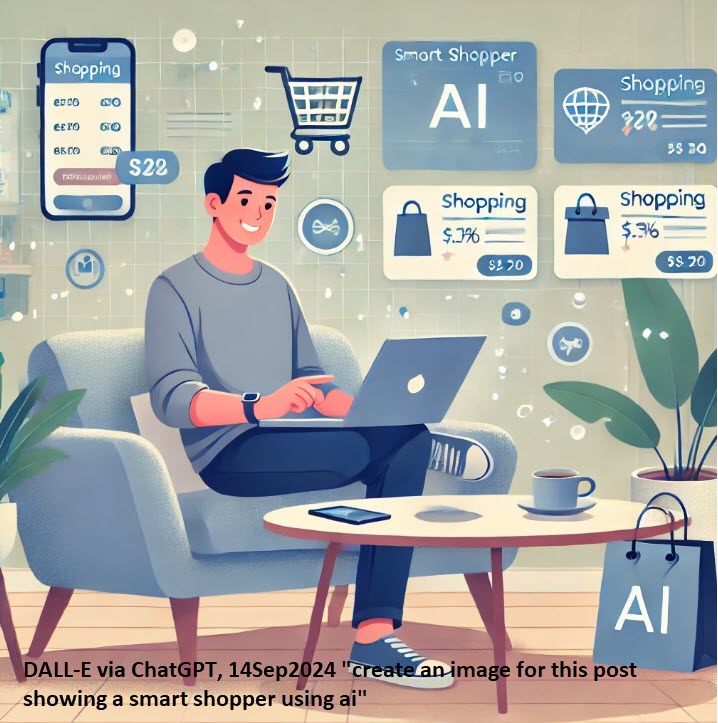
In a world overflowing with options, AI is your savvy shopping sidekick, helping you navigate the maze of choices and prices. By using personalized recommendations, price tracking, virtual try-ons, and comparative shopping, AI makes your shopping experience not only smarter but also more enjoyable. So, why not give these tools a try and become the smartest shopper in town?
Go-Do:
Take a minute to explore one AI-powered shopping tool today—whether it’s downloading Honey or trying a virtual try-on app—and see how it changes your shopping game. Happy smart shopping!
Further resources – shopping
ShopSavvy A comparison tool that scans products and finds the best deals across major retailers. ShopSavvy also provides real-time price alerts for your favorite items.
PriceGrabber One of the original price comparison sites, PriceGrabber helps users compare product prices across a wide range of online retailers. It also features product reviews and seller ratings for better decision-making.
Slickdeals A community-driven platform where users share deals, coupon codes, and tips for finding the best prices. It’s great for discovering user-vetted bargains on everything from tech gadgets to groceries.
AI-Powered Shopping Chatbots Tools like “Mezi” (acquired by American Express) or “Sofy.ai” can help you with personalized product recommendations, real-time price comparisons, and even travel deals by using natural language processing to chat with you as a personal shopping assistant.
Paribus (Capital One Shopping) A price adjustment tool that monitors your purchases and checks if any price drops occur after you’ve bought something, allowing you to claim refunds or credits.
Lyst A fashion-specific platform that helps users track price changes and discover sales on their favorite brands and trends. It’s powered by AI to curate clothing and accessory recommendations based on user preferences.
Honey Droplist Beyond the typical coupon codes, Honey offers Droplist, a feature that allows users to track items from multiple stores and alerts you when there’s a price drop.
RetailMeNot A deal and coupon aggregator that offers cash-back rewards and coupon codes for both online and in-store purchases. AI helps streamline the process by personalizing the deals and codes to your preferences.
Smart Shopping Apps for Groceries For more everyday use, apps like Flipp and Basket use AI to compare grocery prices at local stores, show weekly ads, and suggest discounts based on your shopping list. These are great for budgeting and saving on your grocery bill. Flipp Basket
Further resources – learning
Copilot for Dynamics 365 Commerce revolutionizes retail with AIDiscover how Copilot for Dynamics 365 Commerce can help you deliver personalized customer experiences, optimize product management, and streamline retail operations for store associates, managers, and back-office staff with AI.
AI and Shopping Analytics (For Deeper Dive) Articles and reports on how AI is transforming retail shopping from the backend, including supply chain optimization, personalized marketing, and predictive analytics. For tech-savvy readers or professionals in retail tech: AI Trends in Retail
IBM: AI in Retail and E-commerce Solutions A comprehensive guide from IBM showcasing various AI solutions tailored for the retail industry, including chatbots, virtual assistants, and personalized customer experiences. Learn how AI technologies like Watson are being implemented to enhance online shopping.
Google Cloud: AI for E-commerce Learn how Google’s AI-powered tools are helping online retailers with personalized recommendations, visual search, and voice commerce. Google Cloud’s e-commerce solutions provide a glimpse into the future of smart shopping.
Salesforce: AI in Commerce Cloud Salesforce’s guide on using AI to build personalized customer experiences through its Commerce Cloud platform. This resource covers chatbots, AI-driven product recommendations, and predictive analytics for retailers. AI in Commerce Cloud
Generative AI in E-commerce: An Online Course (Udemy) (paid) This Udemy course focuses on how to use Generative AI to optimize your workflow as a Digital Marketer or an E-commerce professional.
Shopify: AI-Powered Tools for E-commerce A resourceful blog post from Shopify that discusses AI tools designed to help online retailers optimize their store operations, customer engagement, and marketing strategies.
Disclosure
AI was used to create a draft of this post. I added my own personal touches and take responsibility for all of it.
Series 2: AI for Everyone: Unlocking the Potential of Everyday AI Tools
Post 3: Boosting Creativity with AI: From Social Media to DIY Projects
Introduction
Hello, Visionary Creator! 🎨 Ever find yourself scrolling through Instagram, amazed by those perfectly curated feeds or stunning DIY projects that look straight out of a design studio? Guess what? You don’t need to be a professional designer or videographer to create such eye-catching content—AI is your new creative sidekick! From generating captivating images to editing dynamic videos, AI tools are here to make your creative journey smoother, faster, and a whole lot more fun. Let’s explore how AI can supercharge your creativity, whether you’re crafting a DIY project or curating the ultimate social media aesthetic.
Discussion
AI has moved beyond simple automation—it’s now a powerful tool for boosting creativity across various mediums. Here are some key ways AI is transforming creative work:
Image Generation with AI: Have a vision for a design but lack the skills to draw it out? Tools like DALL-E (available for free through Bing Chat) and Midjourney (paid) can turn your ideas into visuals with just a text prompt. Describe what you need, and these AI models will generate unique images that match your concept. Perfect for spicing up your social media posts or crafting custom elements for your DIY projects.
Design Made Easy with Canva: Canva (free with paid upgrades) is a favorite among creatives, offering a user-friendly interface and a wealth of AI-powered features. Its AI design suggestions, image enhancements, and text-to-image capabilities make it easy for anyone to create professional-looking graphics, from social media posts to marketing materials. Canva’s AI can even generate color palettes and font pairings that match your brand or project theme, making the design process smooth and enjoyable, even if you’re a total beginner.
Video Creation and Editing: AI tools like Synthesia (paid), Pictory (offers a free trial), and Microsoft Clipchamp (free with paid upgrades) are changing the game for video content creation. You can create videos with AI-generated avatars, script to screen in minutes, or use AI to auto-edit your footage. For instance, I used Microsoft Clipchamp to dub an AI voice into the videos for my Finance course (MB-310) (Original and AI voice), and a coworker used AI to generate an avatar, narrating it using her own voice samples. Sora creates video from text. Imagine making a DIY tutorial video with automated scene suggestions or edits that align with your vision without spending hours on manual adjustments.
Photo Editing Magic: Apps like Adobe Photoshop’s AI-powered features (paid, with a free trial) and Luminar Neo (paid, with a free trial) are perfect for enhancing your photos effortlessly. AI can suggest the best filters, automatically remove unwanted objects, or even transform your photos into a completely different style, making it easier than ever to maintain a consistent aesthetic across your projects.
Note: Please consider marking AI-generated designs as such. The day is near when we won’t be able to distinguish, and the responsible thing to do is to let our viewership know. I haven’t been doing that, and plan to start.
Challenge
Ready to unleash your creativity? Let’s dive into these challenges to get hands-on with AI:
Image Creation and Modification: Use DALL-E through Bing Chat (free) or Midjourney (paid) to create an image based on a concept you have in mind. It could be as simple as “a cozy reading nook by a window on a rainy day” or “a futuristic cityscape at sunset.” Once you have your generated image, use a tool like Adobe Photoshop (paid, with a free trial) or Canva (free with paid upgrades) to modify it—add text, tweak colors, or combine it with other elements to make it uniquely yours. Share your creation on social media and see how AI can bring your ideas to life!
AI-Enhanced Video Creation: Create a short video using Synthesia (paid), Pictory (offers a free trial), or Microsoft Clipchamp (free with paid upgrades). Start with a simple script for a DIY project or a how-to guide, and let the AI generate the video for you. Experiment with different styles, voices, and avatars to find what resonates best with your audience. This is a fantastic way to add engaging video content to your social media without needing advanced video editing skills.
Summary
AI is not just a tool—it’s a creative catalyst that can help you break through creative blocks and bring your wildest ideas to life. From generating stunning images to crafting engaging videos, AI makes it easier than ever to explore new creative avenues. So, your go-do? Take on one of the challenges above and see where your creativity takes you! And drop comments below. Whether you’re sprucing up your social media or working on a new DIY project, AI is here to make the process not just easier, but way more fun. 🎉
In closing: in tribute to the very first application that many of us used AI models for, and in the spirit of AI creativity, here is a limerick for you (Credit ChatGPT 4o):
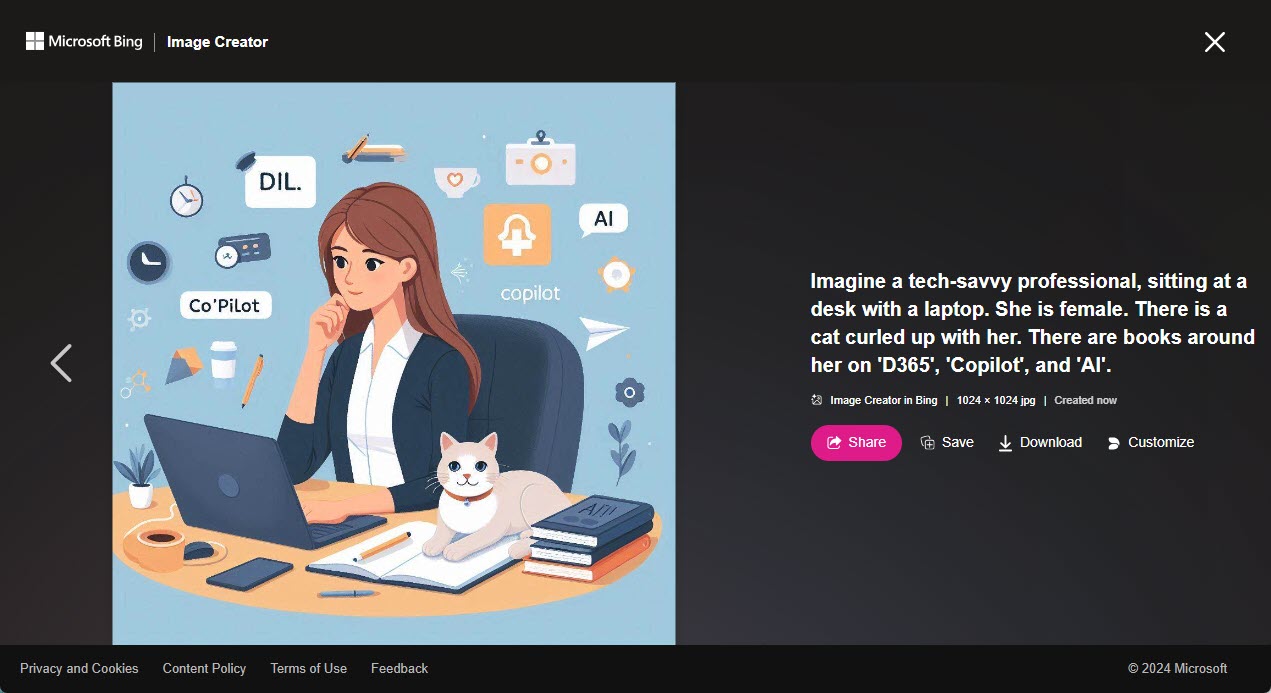
There once was a tech-savvy pro, A Dynamics consultant, you know. Now blogs about AI, With skills soaring high, Helping others to give it a go!
Further resources
DALL-E (free with Bing Chat): DALL-E via Bing Chat – Generate unique images from text descriptions.
Series 2: AI for Everyone: Unlocking the Potential of Everyday AI Tools
Post 2: AI in Your Pocket: Leveraging AI on Your Smartphone
Introduction
In today’s fast-paced world, our smartphones have become indispensable companions, seamlessly blending into every aspect of our daily routines. But did you know that behind the sleek screens and intuitive interfaces, artificial intelligence (AI) is quietly working to make your life easier, often without you even realizing it? From managing your photos to setting reminders and suggesting your next favorite song, AI has already made its way into the apps you use every day, transforming your smartphone into a powerful personal assistant.
In this post, we’ll dive into the world of AI on your smartphone, exploring how these smart features can save you time, boost your productivity, and add a touch of convenience to your everyday tasks. Whether you’re a tech enthusiast or someone who prefers to keep things simple, you’ll discover just how easy it is to harness the power of AI in the palm of your hand. So, let’s unlock the potential of your smartphone and start getting comfortable with AI-driven tools that are ready to work for you!
Discussion
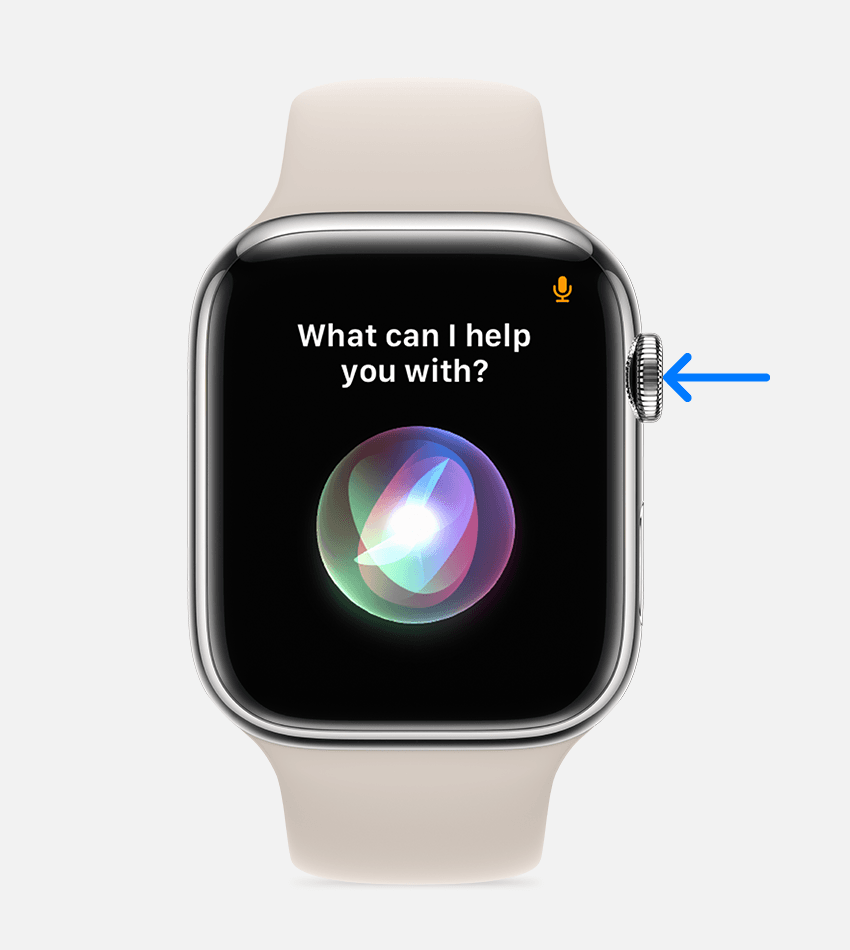
Let’s dive into some of the most practical AI-powered tools that you probably already have on your smartphone. First up are voice assistants like Siri, Google Assistant, and Alexa. These handy helpers are powered by sophisticated AI algorithms designed to understand and respond to your voice commands, making them a perfect example of AI’s capabilities right at your fingertips. Whether you’re asking for the weather, setting a reminder, sending a quick text, or even turning off the lights in your home, these voice assistants are constantly learning and adapting to better serve your needs. They’re not just about convenience—they’re about making your day run a little smoother, so you can focus on what really matters.
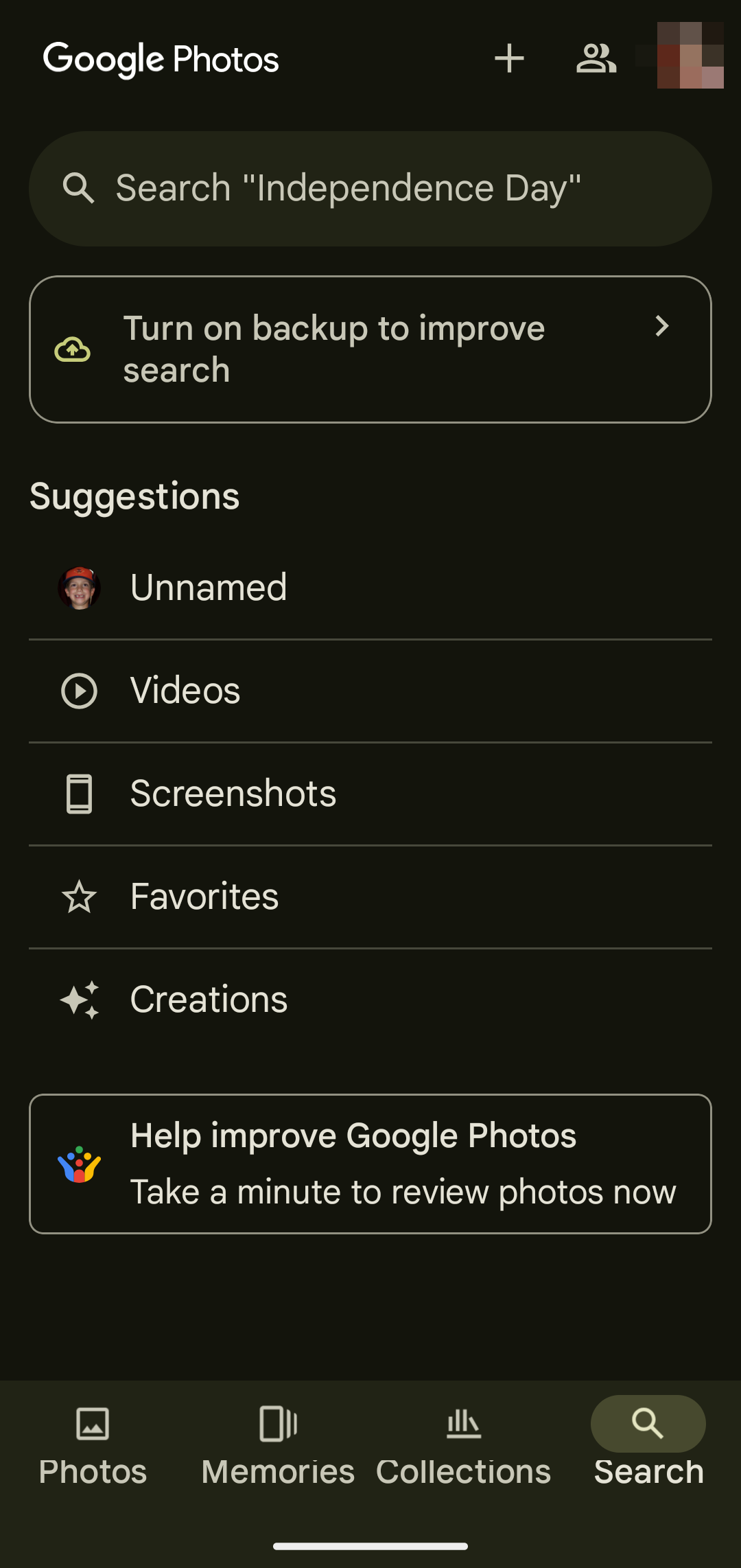
Next, let’s talk about AI in photo management. Apps like Google Photos use AI to organize your photos effortlessly. They can sort images by faces, locations, or even specific objects, making it incredibly easy to find that one photo from last summer or create a quick album of your favorite pet pictures. This AI-driven sorting doesn’t just save time; it turns your sprawling digital photo collection into an organized, searchable archive—no more endless scrolling!
And then there are personalized recommendations, the quiet AI powerhouse behind your favorite apps like Spotify, Netflix, and even your news feed. These algorithms learn from your habits—what you listen to, watch, or read—and then suggest new content that aligns with your tastes. It’s like having a personal curator who knows exactly what you’ll love next, whether it’s a new show to binge, a song that matches your mood, or a must-read article.
What’s truly remarkable is how seamlessly these AI features blend into the background of our daily lives. They’re not complex, intimidating technologies reserved for the tech-savvy—they’re simple, user-friendly tools designed to make everyday tasks faster and more efficient. And the best part? You don’t need to be an expert to take full advantage of them. These tools are built for everyone, from the busiest professional to the casual smartphone user.
By now, you might be realizing just how much AI is already enhancing your smartphone experience. But don’t just take my word for it—up next, we’ll explore how you can actively try out these AI features for yourself. Ready to see how easy and impactful these tools can be? Let’s jump into some hands-on activities that will bring the power of AI into your daily routine!
Challenge
Challenge 1: Get acquainted with your voice assistant
Activate your voice assistant
iPhone Users: Press and hold the Home button or say “Hey Siri.”
Android Users: Say “Hey Google” or press and hold the Home button.
Set a reminder
Say, “Set a reminder for [task] at [time].” For example, “Set a reminder for a meeting at 3 PM.”
Send a message
Try saying, “Send a message to [contact] saying [your message].” For instance, “Send a message to John saying I’ll be there in 10 minutes.”
Ask for information
Ask your assistant a question, such as, “What’s the weather like today?” or “Find the nearest coffee shop.”
Explore more commands
Experiment with other commands like “Play my favorite music (It’s more fun when you hook the assistant up to your music service), “Set an alarm for tomorrow at 7 AM” (or a bit later if you’re like me), or “What’s on my calendar for today?”
Challenge 2: Organize your photos with AI-powered tools
Using AI-powered photo management tools like Google Photos can turn your cluttered photo gallery into a neatly organized collection. Let’s see how AI can help you sort and find photos effortlessly.
Step-by-Step Instructions:
Open Google Photos:
Explore the Search Function:
Tap on the Search bar and try typing things like “beach,” “food,” or a friend’s name if you’ve tagged faces. Watch as AI sorts through your photos instantly!
Create an Album Using AI Suggestions:
Tap on the “Library” tab, then “Albums.”
Click “Create album” and let Google Photos suggest pictures based on locations, dates, or recognized faces.
Clean Up Your Library:
Use the “Utilities” option under the Library tab to find suggested albums, blurry photos, or duplicates. Google Photos will provide AI-powered suggestions to help you clean up your library.
Explore Assistant Cards:
Tap on the “For you” tab to see automatically created collages, animations, and albums made by the app’s AI.
By trying these hands-on challenges, you’ll experience firsthand how AI can simplify everyday tasks and make your smartphone even smarter. These tools are designed to be easy and intuitive, so don’t hesitate to explore and have fun with them. Up next, we’ll summarize how these AI features enhance your smartphone experience and suggest more ways to keep experimenting with AI in your daily life!
Summary
AI on smartphones is not just about futuristic technology; it’s about making everyday life a little bit easier and a lot more organized. From voice assistants that help you multitask without lifting a finger to AI-powered photo apps that bring order to your digital memories, AI is quietly working behind the scenes to enhance your smartphone experience. These tools are designed to be user-friendly, requiring no special tech skills to use effectively.
By getting comfortable with AI-driven features like voice commands, photo sorting, and personalized recommendations, you’re not just using a phone—you’re tapping into a powerful assistant that learns from your habits and preferences. Whether you’re setting reminders, finding your favorite photos, or discovering new content tailored just for you, AI on your smartphone is all about making routine tasks faster, more efficient, and more enjoyable.
So, why not take a moment to explore these AI features? You’ll find that they’re more accessible than you might think, and the benefits can be felt in every part of your daily routine. Embrace the convenience, let AI handle the small stuff, and keep finding new ways to make your smartphone work smarter for you.
Thank you for reading!
Further resources
This is not directly related to AI on mobile, but I just read and loved:
Khan, Salman. Brave New Words: How AI Will Revolutionize Education. New York?: Viking, 2024.
And am currently reading:
Mollick, Ethan. Co-Intelligence: Living and Working with AI. Portfolio, 2024.
Disclosure
AI was used in several places in this post: to create the title, to create the outline and some discussion, to suggest the challenges.
This is part 1 in a second ongoing series to acquaint people with AI
Series 2: AI for Everyone: Unlocking the Potential of Everyday AI Tools
Post 1: Getting Comfortable with AI: Easy-to-Use Tools for Daily Tasks
Introduction
To the series
Welcome to our second AI series! In this series, we’ll discuss practical and accessible ways to incorporate AI into our daily lives.
Whether you’re managing tasks, boosting creativity, shopping smarter, or exploring smart home innovations, this series has something for everyone. Each part is packed with hands-on challenges and easy-to-follow steps, making AI not just understandable, but genuinely useful. Join us on this journey to unlock the incredible potential of AI—no technical expertise required!
By the end of this series, learners will confidently integrate AI into their daily lives, leveraging user-friendly tools to enhance productivity, creativity, smart shopping, home automation, and exploring more advanced AI applications.
To the post
In this post, we’re going to talk about how AI may touch our daily lives – of course, your mileage may vary – but there will be many practical examples of how to use AI to assist your life, without a background in Data Science. We’ll become familiar with user-friendly AI tools for managing emails, schedules, and tasks. We’ll implement an AI-powered email organizer or task management app to enhance productivity and organization.
Discussion
AI can streamline a variety of daily tasks, making them more efficient and less time-consuming. Here are some common tasks that can be enhanced with AI:
Managing emails
Organizing schedules
Task automation
Communication
Content creation
Personal finance
Online shopping
Fitness and health tracking
Home automation
Learning and development
In a prior post, we’ve talked about making small gains (which add up). With that in mind, we’re going to select one or more of the above tasks as this week’s challenge. But not all of the gains that we will get from AI are measured by time savings. We’ll have a second part to our challenge this week as well.
AI can manage our email by filtering and prioritizing it, and perhaps already is. In my Gmail, I see that the system throws some messages into my Spam folder. If I open the email, it may tell me something like “Why is this message in spam? It is similar to messages that were identified as spam in the past.” And you will have the option to report the email as “not spam,” so you will be training the AI with a click of a button. Your incoming emails may be auto-sorted into folders like Primary, Promotions, Social, and Updates. If you drag an email into a different category, Gmail will ask if you want all future emails from that sender to go into the new folder. You can use AI here by using these available options in your email system (Gmail isn’t the only one that has them). You can also create Rules and Filters, which may not be AI, but are time-saving. Don’t miss this great post by Scott Hanselman: The Three Most Important Outlook Rules for Processing Mail. You can use AI like Copilot to draft email replies, or to rewrite replies that you wrote.
AI is helpful for scheduling. Like many of us, I am experiencing meeting overload but must still schedule them. I often use Outlook’s option to AutoPick a time slot where all required attendees (or a different option) are within their set working hours and not already scheduled. Gmail will let you create events from emails.
AI can help with task lists. When mine gets too long, I run it through AI and ask it to categorize and deduplicate (example, the Claude hands-on in this post: Intelligent Innovations: AI in Daily Life | janeteblake). Suddenly the task lists look much less overwhelming and I can start attacking them, and realize time savings from grouping like tasks. It’s always a personal boost to see my to-do list get shorter!
How many of us have too many meetings? AI to the rescue! My coworkers and I frequently use Copilot to summarize Teams meetings, create action items, catch up on what we missed, and collaborate with those who weren’t there. I’m using AI in translating my content to other voices and other languages (when I publish my Finance course update in September, check out the videos). All sorts of communications are possible and/or easier and faster now.
I’m hoping you’ve noticed that I’ve been disclosing AI assistance in content creation for this blog. We also use it a lot in Microsoft’s Worldwide Learning in keeping our content fresh and current. Note that this type of effort is not a one-time thing, but an ongoing process to keep improving – kind of like all of us! I asked AI when was the best time to publish posts and it replied Tuesday and Wednesday mornings. You may have noticed that not only do I publish my posts at that time, but more subtle is the fact that I schedule my posts. I finish them when I can and they publish at the time I set (currently 11am EDT, 8am PDT, 5pm CET). This helped me tremendously when I was traveling recently and active in a workshop. I took an outline and had Copilot create a PowerPoint presentation from it. The possibilities are far too many for this post.
A perfect application for AI is financial management. AI can automatically track your expenses, categorize them, and suggest budgeting tips based on your spending habits. AI can advise you by analyzing market trends and making recommendations, based on your level of risk comfort.
AI already helps you with online shopping, by offering product recommendations based on what you’ve purchased, or looked at, or searched for. This can save a lot of time when some retailers’ website search functions are rather limited. AI can track prices for you across multiple websites with tools like Honey, CamelCamelCamel, Capital One Shopping, Rakuten, and many more.
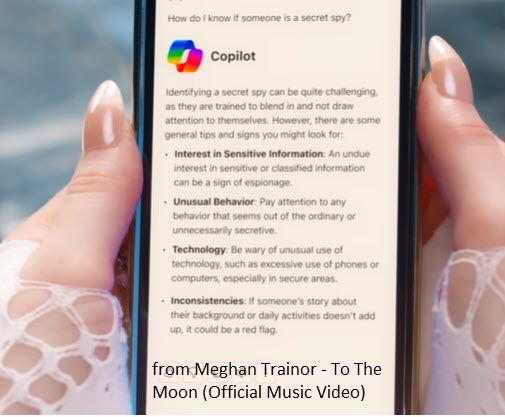
I’ve mentioned before that I’ve used AI for insights into my health data. I’ve fed it my steps data and gotten the insight that I’m least likely to make my steps goal on Thursdays, so I set up a reminder to walk during Thursday lunch. Copilot has a very cool ad that I posted on my LinkedIn last week about how it can help you plan customized workouts and monitor your health metrics.
My son was the one who got me into home automation. He set up some smart light bulbs and plugs, and created an “Alexa, I’m home” routine which turns on the light and the television. I have a routine where certain lights go on at sunset, whenever that may be, and I don’t have to reprogram it (I’m easy to please sometimes). I recently got smart “learning” thermostats which also please me unduly. They learn what temperatures we like at different times of day. They set themselves down during peak times to reduce energy consumption when needed.
While I’d love to go on about how I created a Copilot training plan for myself using AI, there are much bigger things in this world, when discussing how AI helps learning and development. I recently finished reading Brave New Words: How AI Will Revolutionize Education (and Why That’s a Good Thing) by Sal Khan (of Khan Academy), and I am absolutely over the moon at the possibilities that AI is bringing to education! Khan Academy recently powered with Microsoft to bring Khanmigo, the former’s AI-powered teaching assistant & tutor, recently partnered with Microsoft to offer the tool free to teachers in dozens of countries. (See their blog post.) I asked some teacher family members to take it for a test drive and they were quite impressed.
I hope this has sparked your interest in exploring how AI can simplify and enhance your daily life.
Challenge: Hands-On with AI in Your Daily Tasks
Let’s dive into two simple yet effective ways to incorporate AI into your everyday life. This week’s challenge involves experimenting with AI-powered tools to help manage your emails and tasks. We’ll focus on Gmail’s Smart Reply feature and a task management app called Todoist, which has AI capabilities to boost your productivity. Follow these step-by-step guides, and don’t forget to take screenshots along the way to document your journey!
Challenge 1: Get Smart with Gmail’s Smart Reply
Gmail’s Smart Reply is a great way to save time by suggesting quick responses to emails. Here’s how to get started:
Access Gmail: Open Gmail on your computer or mobile device.
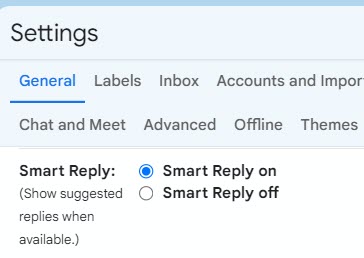
Check Smart Reply Settings: On your computer, click on the gear icon in the upper-right corner and select “See all settings.” Go to the “General” tab and scroll down to the “Smart Reply” section. Make sure the “Smart Reply on” option is selected. Save Changes if needed.
Try Out Smart Reply: Open an email that you’d typically reply to. Below the email, you’ll see a few suggested responses like “Thanks!” or “Sounds good.” Click on one of the suggestions to instantly add it to your reply. You can send it as is or edit it further before sending.
Adjust and Improve: If the suggestions aren’t relevant, simply ignore them. The AI learns from your choices and will improve over time. Experiment with a few different emails to see how well it predicts your responses.
Set a Goal for the Week: Commit to using Smart Reply for a week and track how much time you save on emails. Consider taking screenshots of before and after scenarios to visualize your progress.
Challenge 2: Boost Your Task Management with Todoist
Todoist is a task management app that uses AI to help you organize and prioritize your tasks efficiently. Here’s how you can get started with AI features in Todoist:
Download and Set Up Todoist: Download the Todoist app on your mobile device or access it via Todoist’s website. Create a free account or sign in if you already have one.
Explore AI Task Suggestions: Once logged in, start by adding a few tasks you need to accomplish this week. Click on the “Add Task” button and type your task (e.g., “Prepare report by Friday”). As you type, Todoist’s AI will suggest task labels, due dates, and even break down larger tasks into subtasks.
Using the Task Prioritization Feature: Todoist’s AI helps prioritize tasks by analyzing their urgency and importance. Click on the three dots next to any task and select “Priority” to rank it. The AI will adjust future suggestions based on your past choices.
Set Daily Reminders: Enable smart reminders by clicking on a task and selecting “Add Reminder.” Todoist AI will suggest the best time based on your task details and schedule.
Track Your Progress: At the end of the week, review the completed tasks. Todoist provides productivity insights and suggests ways to improve based on your performance.
Document Your Experience: Take screenshots of your task list at the beginning and end of the week. Note any improvements in your workflow or time management.
By trying these challenges, you’ll get a firsthand look at how AI can make managing emails and tasks easier and more efficient. Plus, you’ll gain confidence in using everyday AI tools to streamline your routine!
Summary
In this post, we explored how AI can seamlessly integrate into our everyday lives to help manage tasks, emails, and more. From setting up Gmail’s Smart Reply to using Todoist for smarter task management, we’ve shown that AI doesn’t require a technical background to be beneficial. These tools are designed to save time, reduce stress, and increase productivity, making your daily routines smoother and more efficient.
In the introduction, we kicked off our new series, “AI for Everyone: Unlocking the Potential of Everyday AI Tools,” by emphasizing that AI is not just for tech enthusiasts or data scientists—it’s for everyone. The goal is to make AI approachable and useful in everyday tasks, demonstrating how small, practical steps can lead to meaningful improvements in our routines.
In the discussion, we discussed a variety of ways AI can enhance daily tasks, such as managing emails, organizing schedules, and automating tasks. By using AI tools, you can experience the benefits firsthand—whether it’s decluttering your inbox or efficiently prioritizing your to-do list. The discussion also touched on broader applications, including financial management, online shopping, fitness tracking, and home automation, all of which are made easier with AI.
Through the hands-on challenges with Gmail and Todoist, you learned how to set up AI features and use them to make your daily tasks more manageable. By engaging with these tools for a week, you not only gain practical experience but also build confidence in using AI to enhance your productivity.
By embracing tools like Gmail’s Smart Reply and Todoist, you can start to see real, practical benefits from AI in your daily tasks. Not only will you save time, but you’ll also reduce stress and increase your overall productivity. Remember, AI doesn’t have to be complicated—it’s about finding simple ways to make life a little easier.
Final Thoughts: AI is already part of our lives, often in ways we don’t even realize. By embracing these easy-to-use tools, you can take control of how AI impacts your day-to-day activities. Remember, the aim is not to replace what you do, but to enhance it—making your life a little easier, one task at a time.
Reddit: Explore subreddits like r/singularity, r/ai, and r/technology for discussions and recommendations.
AI Forums: Join online communities dedicated to AI and its applications.
Remember to explore these resources and experiment with different tools to find the ones that best suit your needs and lifestyle. AI can significantly improve your daily life by automating tasks, providing personalized recommendations, and enhancing your productivity.
Disclosure
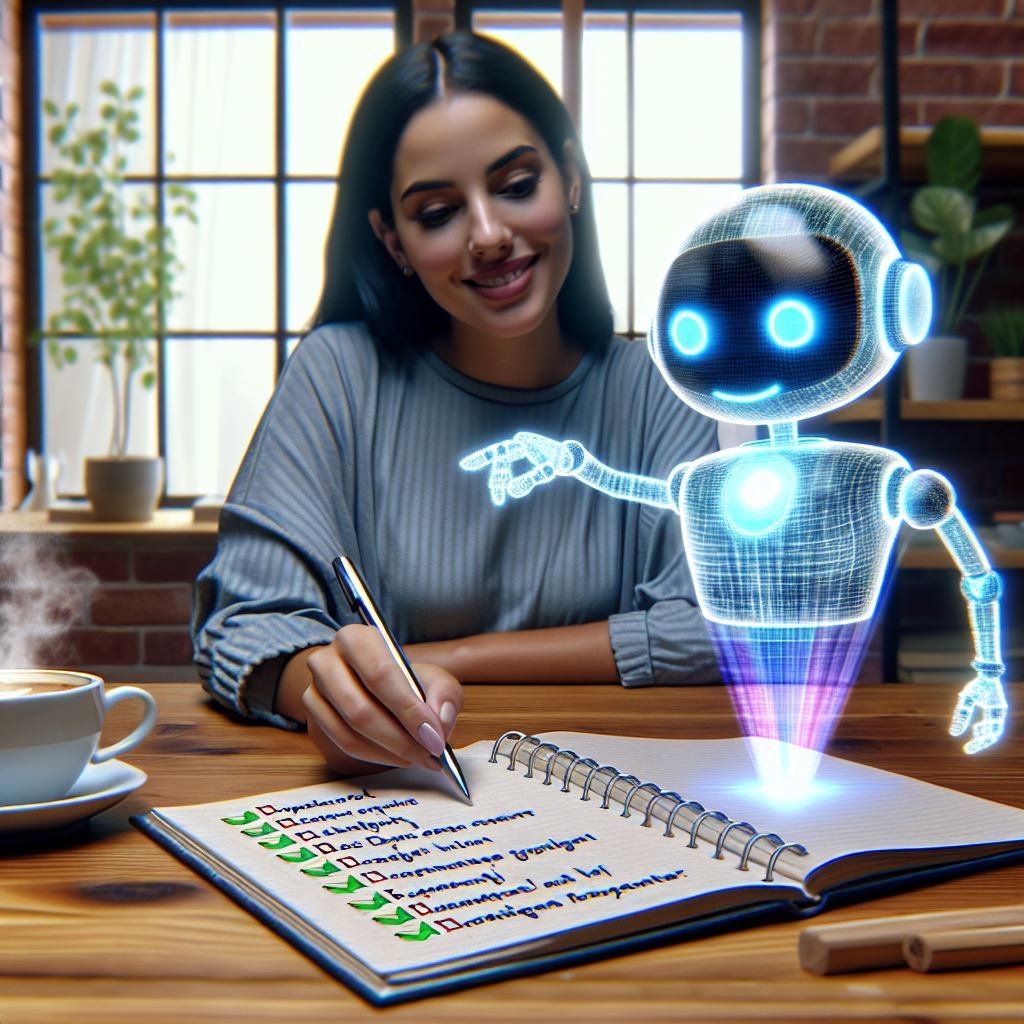
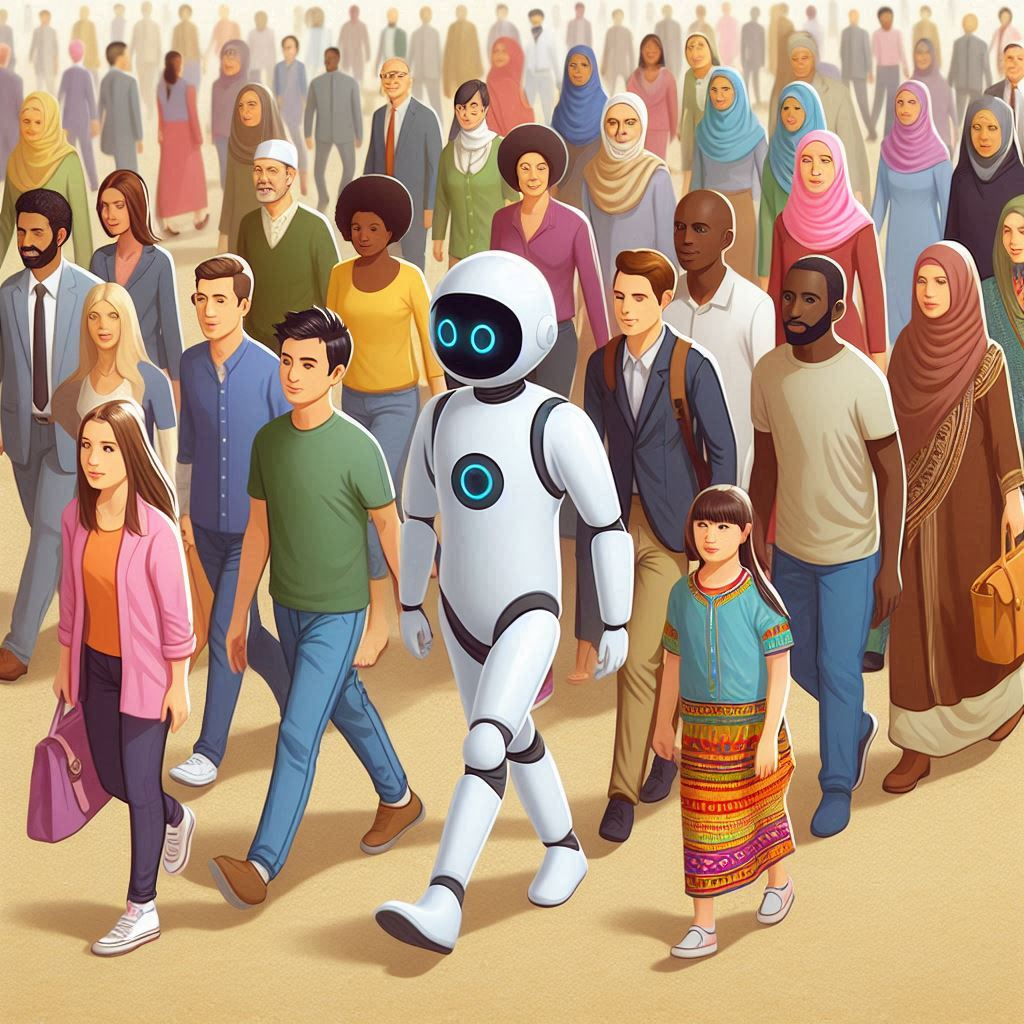
AI was used in several places in this post: to create the title, to create the outline, to suggest the challenges. The second image, the one with the robot, was created with DALL-E, since I missed the Midjourney free trial!
Exploring the Power of AI: A Journey to Empowerment
Reflection
As we wrap up our series, Exploring the Power of AI, it’s time to reflect on how far we’ve come together. This series was designed to make AI approachable, demystify its concepts, and empower you with the knowledge to use it effectively in your daily life and professional settings. Let’s revisit each post, celebrating the strides we’ve made in understanding and embracing AI.
1. The AI Revolution: Why You Should Care and Why You Should Trust Us We kicked off the series by exploring the transformative power of AI, emphasizing why AI is not just a trend but a revolution you should care about. We tackled the common concerns around AI, building a foundation of trust and understanding.
2. Demystifying AI: What It Is and Why It Matters In the next post, we peeled back the layers of AI to reveal what it truly is. We broke down complex terms and concepts into digestible pieces, making the intricate world of AI accessible to everyone.
3. Intelligent Innovations: AI in Daily Life Here, we moved from theory to practice, showcasing how AI is already a part of your everyday life. From virtual assistants to personalized recommendations, we explored how AI simplifies tasks and enhances experiences.
4. The Future of Work: AI’s Role in Professional Settings As we navigated through the series, we turned our focus to the workplace. This post delved into how AI is reshaping professional environments, opening up new opportunities while also posing challenges that we must prepare for.
5. Kickstart Your AI Journey: Essential Tools and Resources to Get Started We provided you with the tools and resources necessary to begin your own AI journey. This guide was all about empowering you to take the first steps, offering practical advice and curated resources to build your confidence.
6. Building Responsible AI: Ethical Challenges and Solutions We concluded the series with a critical look at the ethical implications of AI. Understanding the challenges and how to build responsible AI systems is crucial as we move forward in this rapidly evolving field.
A Journey Completed, A New One Begins
Through this series, you’ve gained a comprehensive understanding of AI, from its basic principles to its real-world applications and ethical considerations. Whether you were starting as a complete beginner or looking to deepen your knowledge, our goal was to ensure that you felt supported and informed every step of the way.
But this is just the beginning. AI is constantly evolving, and so too should your understanding of it. I encourage you to revisit these posts, explore the resources provided, and stay curious as we continue to navigate this exciting landscape together.
Thank you for joining us on this journey to explore the power of AI. Let’s continue to embrace the future with confidence and curiosity!
Feel free to click on each link to revisit the posts and deepen your understanding further.
Coming soon
We’re excited to announce the upcoming series, AI for Everyone: Unlocking the Potential of Everyday AI Tools. In this series, we’ll dive into practical, easy-to-use AI tools that can make your daily life more efficient, creative, and fun. Whether you’re just getting comfortable with AI or looking to explore more advanced tools, this series has something for everyone.
Here’s what’s in store (all of this is subject to change):
Part 1: Getting Comfortable with AI: Easy-to-Use Tools for Daily Tasks
Part 2: AI in Your Pocket: Leveraging AI on Your Smartphone
Part 3: Boosting Creativity with AI: From Social Media to DIY Projects
Part 4: Smart Shopping with AI: Finding Deals and Making Better Decisions
Part 5: AI in the Home: Making Your Space Smarter and More Efficient
Part 6: Starting Your AI Journey: Simple Steps to Explore More Advanced Tools
Stay tuned as we unlock the potential of AI in your everyday life! This series is designed to help you discover new ways to enhance your routines, boost your creativity, and make informed decisions—all with the power of AI.
Disclosure
We used AI to create some of the post summaries, as well as the images. Didn’t it do a great job?

















 janeteblake