Family Gift Ideas with AI

AI Series 1: Exploring the Power of AI

AI Series 2: AI for Everyone: Unlocking the Potential of Everyday AI Tools

AI Series 3: AI-Powered Job Search: Navigating the Future of Work

AI Series 4: AI Use case series

Post 1: How AI Can Spark Creativity: My Unexpected Journey (to the 1700s) with Microsoft Copilot

Post 2: Crafting Compelling Business Cases: How AI Becomes Your Strategic Communication Partner

Post 3: Accomplishments at work – with a little AI magic

AI use case Post 4: Family gift ideas

A family looking delighted around a table with an AI robot, and presents surrounding them

Introduction: Brainstorming Together

Creativity doesn’t always come naturally—especially when brainstorming gift ideas for family members with interests you barely know. As someone from a computer science background, I know this struggle all too well. But I’ve found a solution: AI-powered brainstorming. Let me show you how I used ChatGPT to uncover thoughtful, budget-friendly gift ideas for my family.


The Real-World Application: AI to the Rescue

Here’s the challenge: finding meaningful gifts for my family members, whose interests range from vague to completely unknown. My budget? $50–75 per person. Enter ChatGPT, my brainstorming partner.

Here’s how the process unfolded:

  1. Describing My Family Members
    • <> (40, IT professional, city dweller, smart).
    • <> (12, no clear interests).
    • <> (8, general interests).

I asked ChatGPT for help, stating the people, the budget, and the instructions: “Please suggest several gifts for each person within my budget. Feel free to use ideas from sources like the NYT’s Wirecutter or anywhere else.”

  1. The Results
    • ChatGPT provided three tailored ideas per person. For the IT professional, I initially got tech suggestions but realized those weren’t ideal. So, I refined the request: “It’s tricky to get tech gifts for an IT professional. Suggest non-tech options.”
    • The response? Two suggestions across seven unique categories—practical, indulgent, and unexpected.
  2. Deep Dives into Gift Details
    • Curious about one idea—a massage gun—I asked for more details. ChatGPT explained its features, benefits, and even provided similar alternatives.
  3. Iterating for Better Results
    • Not satisfied with the suggestions for the 8-year-old? No problem. A follow-up request netted 22 more gift ideas, grouped into thoughtful subcategories. One hit the mark, and I placed my orders.

This iterative process demonstrated the strength of AI: combining speed with creativity, fine-tuning until the perfect result emerged.


Under the Hood: Why It Works

Generative AI shines in brainstorming scenarios because:

  • Customizable Prompts: You guide the process by asking follow-up questions.
  • Quick Access to Broad Ideas: AI pulls inspiration from multiple sources instantly.
  • Iterative Improvement: The conversation evolves until the results match your expectations.

Challenge: Test the Tool

Ready to put AI to the test? Try this two-part challenge:

  1. Scenario 1: Describe a family member with a few key traits (e.g., age, interests, lifestyle). Use ChatGPT to generate gift ideas. Here’s an example prompt:
    “My brother is 30, loves hiking, and is an avid reader. My budget is $50–75. Please suggest gift ideas.”
  2. Scenario 2: Pick one suggested gift and ask for more details. For example:
    “Tell me more about the hiking kit you suggested. What items are included?”

Summary: Generative AI – Your Creative Co-Pilot

Breaking a creative block doesn’t have to be painful. AI tools like ChatGPT make it easy to brainstorm, refine, and finalize ideas. The key? Treat it as a collaborative partner, guiding the conversation for the best results.

Your Action Step: Choose one person you’re shopping for and use ChatGPT to brainstorm gift ideas. You might surprise yourself with what you find!


Further Resources


Disclosure

This blog post was drafted with AI assistance. My personal insights and edits ensure that it reflects my perspective, and I take full responsibility for its content.

Posted in artificial intelligence, Practical AI applications | 4 Comments

Accomplishments at work – with a little AI magic

AI Series 1: Exploring the Power of AI

AI Series 2: AI for Everyone: Unlocking the Potential of Everyday AI Tools

AI Series 3: AI-Powered Job Search: Navigating the Future of Work

AI Series 4: AI Use case series

Post 1: How AI Can Spark Creativity: My Unexpected Journey (to the 1700s) with Microsoft Copilot

Post 2: Crafting Compelling Business Cases: How AI Becomes Your Strategic Communication Partner

Post 3: Accomplishments at work – with a little AI magic

Introduction: The Magic of Reflection

Let’s face it: keeping track of our weekly accomplishments can feel like a chore, especially when the week has left us drained. Yet, knowing our achievements isn’t just good practice—it’s a way to celebrate progress, prepare for future opportunities, and showcase your contributions when it matters most. Whether it’s for performance reviews, updating your resume, or preparing for interviews, having a handy list of professional accomplishments can significantly boost your career. The good news? AI tools like Microsoft Copilot make this process easier and more insightful by uncovering achievements you might overlook. Let’s explore how.

"A visually appealing progress bar illustration labeled with stages of personal and professional growth, such as "Reflection," "Achievement Tracking," and "Career Growth.", ChatGPT 4o, 30Dec2024

The Real-World Application: AI to the Rescue

It started with a mentor’s sage advice: keep a weekly list of your work accomplishments. Dutifully, I made this part of my routine. But life happens, and one week I only managed to jot down two items. Determined to do better, I turned to AI for help.

Using Microsoft Copilot—a tool integrated with my work environment—I asked:

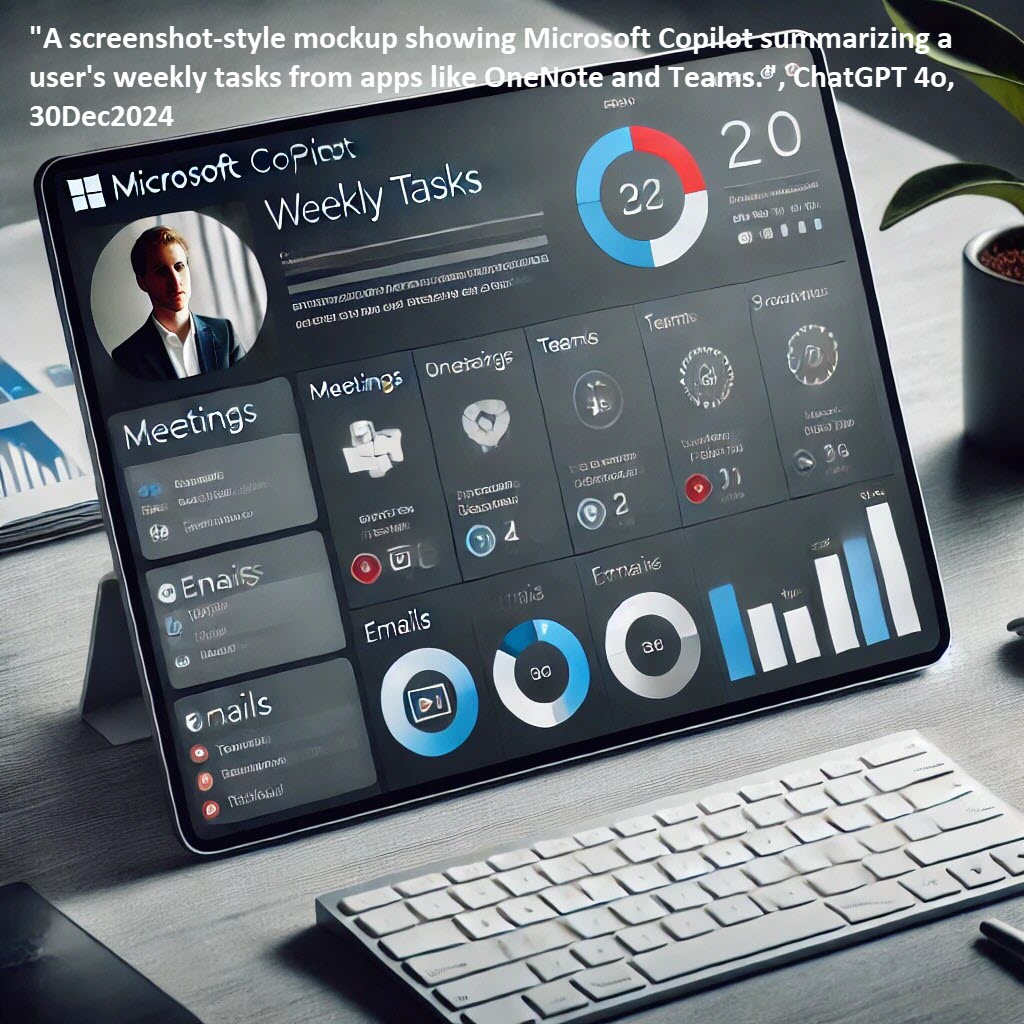
“Look through my emails, OneNote, Teams, and files, and tell me what I have accomplished this week.”

The results? Stunning. My two-item list grew into six solid accomplishments after reviewing Copilot’s suggestions and adding my final polish. Copilot didn’t just save the day; it made me wonder how often we miss recognizing our own efforts.

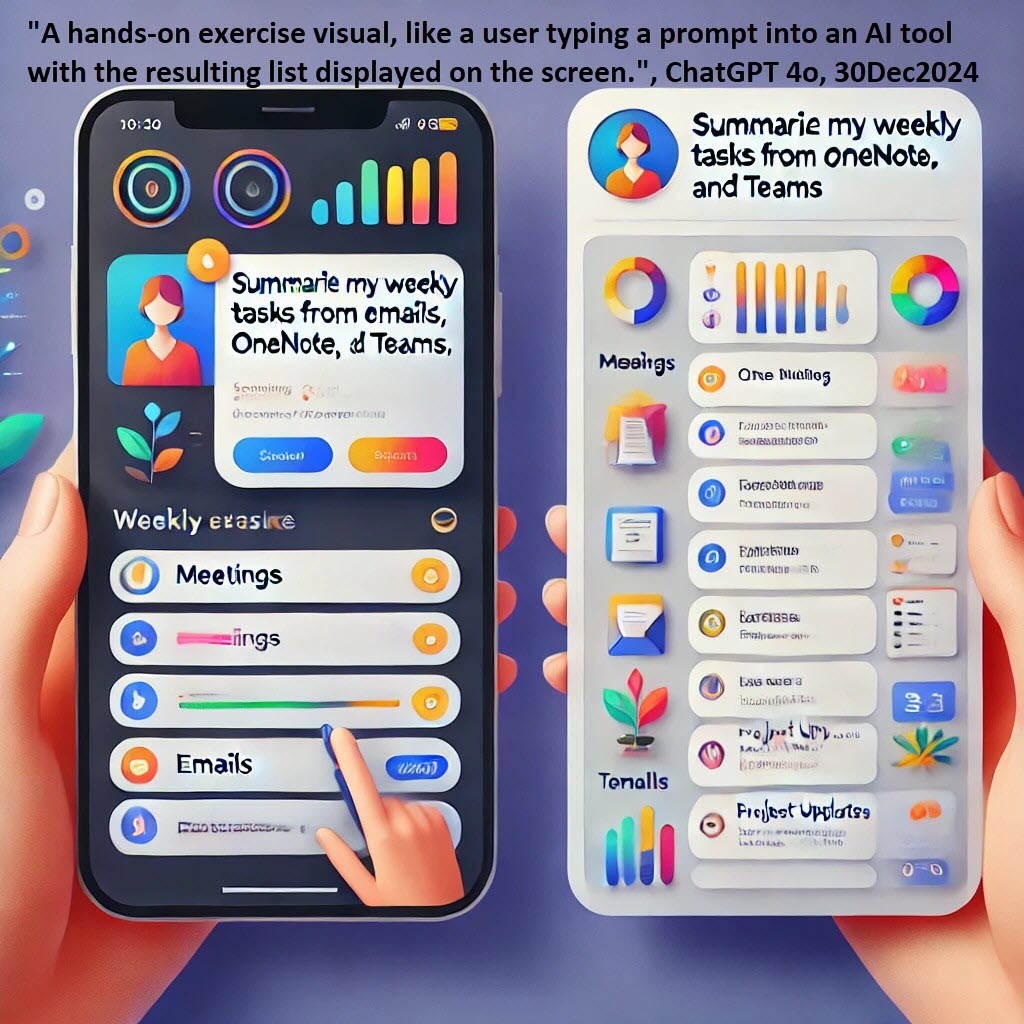
"A screenshot-style mockup showing Microsoft Copilot summarizing a user's weekly tasks from apps like OneNote and Teams.", ChatGPT 4o, 30Dec2024

Under the Hood: Why It Works

Microsoft Copilot combines natural language processing (NLP) and advanced machine learning to analyze your workflows, uncovering patterns and highlights. Here’s why this tool is a game-changer:

  1. Contextual Awareness: It reads and synthesizes information from emails, documents, and meeting notes to provide contextually relevant insights.
  2. Time-Saving: Instead of manually digging through your files, Copilot identifies and organizes achievements in seconds.
  3. Perspective: By reframing everyday tasks into measurable accomplishments, AI helps you see your work through a strategic lens.

These benefits apply to similar tools as well. For instance, tools like Notion AI can summarize tasks from collaborative workspaces, while ChatGPT can synthesize ideas from uploaded notes or tasks.

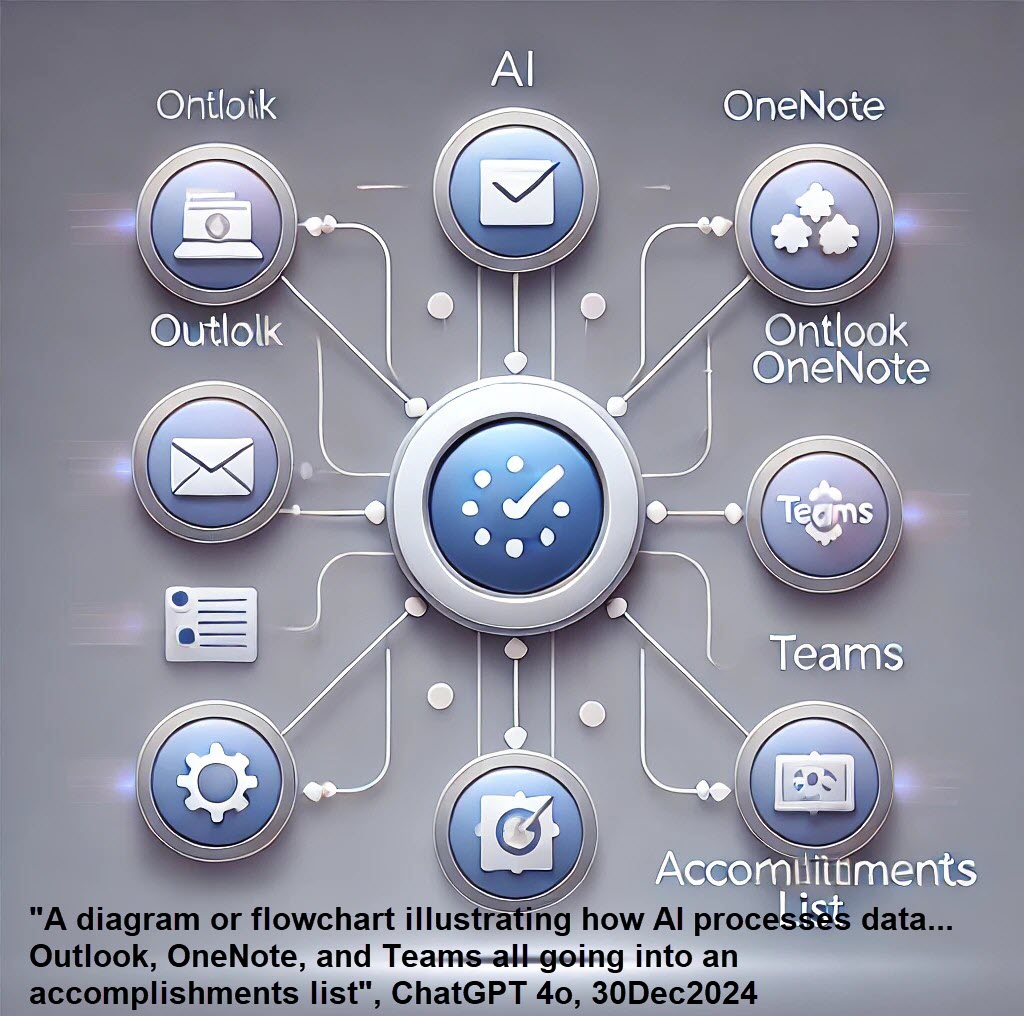
"A diagram or flowchart illustrating how AI processes data... Outlook, OneNote, and Teams all going into an accomplishments list", ChatGPT 4o, 30Dec2024

Challenge: Test the Tool

Why not see what AI can do for you? Here’s a two-part challenge to get started:

  • Scenario 1: Ask AI (like Copilot, ChatGPT, or Notion AI) to review your digital workspace and draft an accomplishments list for the week. Refine it with your insights.
  • Scenario 2: Manually track your accomplishments for one week, then compare your results to what the AI generates. What patterns emerge? Did the AI notice achievements you overlooked?

For hands-on practice with free options, consider Google Keep for organizing thoughts, Trello for project tracking, or even ChatGPT to structure task lists based on uploaded notes.

"A hands-on exercise visual, like a user typing a prompt into an AI tool with the resulting list displayed on the screen.", ChatGPT 4o, 30Dec2024

Summary: Celebrating Your Wins

Tracking accomplishments isn’t just about creating lists—it’s about understanding your growth and setting the stage for new opportunities. AI can help make the process seamless, insightful, and surprisingly rewarding.

Your Action Step: Give Copilot or a similar tool a try this week. Whether you’re managing a big project or wrapping up routine tasks, let AI show you the bigger picture. Then ask yourself: What insights did you gain from this experiment?

"A celebratory illustration of a person holding a "Completed List" scroll in front of a computer, looking proud.", ChatGPT 4o, 30Dec2024

Further Resources

  • Explore tools like Microsoft Copilot for seamless integration.
  • Check out Notion AI for collaborative workflows.
  • Learn more about how AI transforms productivity here.

Disclosure

This blog post was drafted with AI assistance. My personal insights and edits ensure that it reflects my perspective, and I take full responsibility for its content.
Posted in artificial intelligence, Practical AI applications | Tagged , , , | 5 Comments

Crafting Compelling Business Cases: How AI Becomes Your Strategic Communication Partner

AI Use case series

AI Series 1: Exploring the Power of AI

AI Series 2: AI for Everyone: Unlocking the Potential of Everyday AI Tools

AI Series 3: AI-Powered Job Search: Navigating the Future of Work

AI Series 4: AI Use case series

Post 1: How AI Can Spark Creativity: My Unexpected Journey (to the 1700s) with Microsoft Copilot

Post 2: Crafting Compelling Business Cases: How AI Becomes Your Strategic Communication Partner

Introduction

Do you need to prepare a business justification? Whether it’s for attending a conference, buying new equipment, or initiating a project, getting approval often requires crafting a compelling argument. If writing isn’t your strong suit—or you’re just short on time—AI is your ally. Let’s explore how tools like Microsoft Copilot can help you make your case clearly and persuasively.

The Real-World Challenge

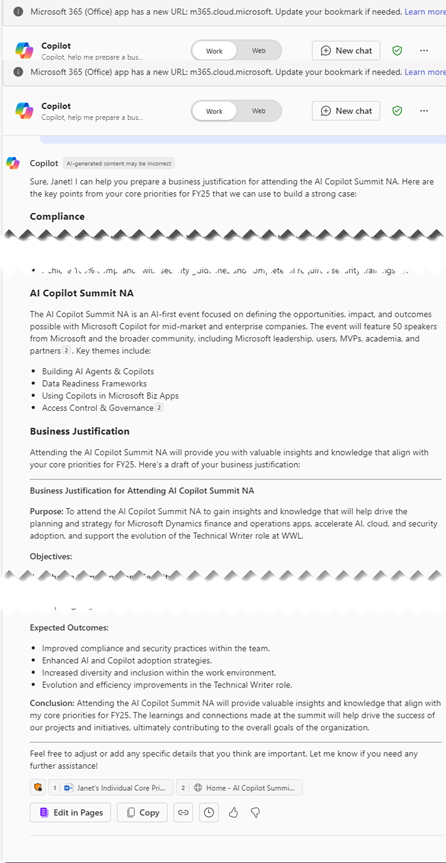
Recently, I wanted to attend the AI Copilot Summit NA in March. Of course, that meant I needed to get my manager’s approval for time off and travel expenses. Enter Copilot! With just a few simple prompts, I had a polished business justification draft—but the journey revealed far more than just a document.

My prompt:

“Copilot, help me prepare a business justification to go to AI Copilot Summit NA. Its website is at copilot.summitna.com. My core priorities are <>”.

The Surprising Output

The AI didn’t just generate a document; it became a sophisticated communication partner. It:

  1. Summarized my key priorities, framing the argument around organizational goals
  2. Provided contextual information about the conference
  3. Drafted a professional-looking justification
  4. Generated expected outcomes with surprising nuance

Under the Hood: How AI Really Works

What makes this technology fascinating isn’t just its output, but its underlying complexity. Copilot leverages a neural network that goes far beyond simple text generation:

  • Natural Language Processing (NLP) decodes professional communication nuances
  • Machine learning algorithms predict appropriate argumentative structures
  • Contextual embedding techniques maintain coherence across writing styles

Critically, this isn’t about replacing human communication—it’s about augmenting our capabilities. The AI doesn’t just match keywords; it understands context, tone, and professional communication patterns.

The Human-AI Collaboration

While powerful, AI writing tools aren’t magic. They excel at structure and language, but lack the nuanced understanding of your specific organizational culture. The most effective approach is collaborative: use AI as a sophisticated drafting tool, but always infuse the final document with your unique professional insights.

When I reviewed Copilot’s draft, I realized its true value wasn’t in producing a perfect document, but in providing a strategic framework that I could personalize. The AI helped me:

  • Identify key communication strategies
  • Structure my argument more effectively
  • Overcome initial writing inertia

Ethical Considerations and Limitations

It’s crucial to approach AI writing tools with a critical eye. These tools can:

  • Accelerate document creation
  • Provide structural guidance
  • Offer language refinement

But they cannot:

  • Fully understand your unique organizational context
  • Replace critical human thinking
  • Capture the full depth of personal experience

Challenge

Why not give this a try yourself? Here’s a quick exercise to test AI Copilot’s skills:

  1. Scenario 1: Propose attending a skills-development workshop. Provide Copilot with the event name, its website, and your professional goals.
  2. Scenario 2: Justify purchasing software for your team. Share your team’s needs, a brief description of the tool, and expected benefits.

For hands-on practice, use Microsoft’s Copilot for Work at m365.cloud.microsoft/chat. Upload documents or share your ideas directly—it’s like having a personal assistant that doesn’t need coffee breaks!

Summary

AI tools like Copilot remove the emotional roadblocks often associated with writing a business case. They provide structured arguments based on your inputs, helping you articulate your points effectively.

So, whether you’re requesting approval for a conference, software, or anything in between, let AI handle the heavy lifting. After all, when it comes to professional growth, it’s always worth the effort to advocate for yourself!


Further Resources


Disclosure

This blog post was drafted with AI assistance. I added my personal touch and take full responsibility for its content.
Additional disclosure: this business justification didn’t end up shaking budget loose.

Posted in Dynamics AX | 6 Comments

How AI Can Spark Creativity: My Unexpected Journey (to the 1700s) with Microsoft Copilot

As a Outlander fan emerging from another long “Droughtlander” (we went 15 months between episode drops), I stumbled upon an unexpected source of creative magic: artificial intelligence. What began as a casual experiment with Microsoft Word’s Copilot turned into a fascinating glimpse into the future of storytelling.

The Experiment

During a moment of writer’s frustration, I clicked on the Copilot icon and issued a simple challenge: “Create a short story in the voice of Diana Gabaldon.” Having provided zero context about the author beyond her name, I waited with skepticism.

The result was nothing short of astonishing.

Story snippet: In the heart of the Scottish Highlands, where the mist clung to the rolling hills and the scent of heather filled the air, a young woman named Elspeth MacLeod found herself at a crossroads. The year was 1745, and the Jacobite uprising was in full swing, with clans rallying behind Bonnie Prince Charlie in a bid to reclaim the throne for the Stuarts.
Elspeth, a healer by trade, had always felt a deep connection to the land and its ancient traditions. Her grandmother had taught her the secrets of the herbs and the ways of the old gods, and she had spent her life tending to the sick and injured in her small village. But now, with the war encroaching on their peaceful existence, she faced a choice that would change her life forever.
One crisp autumn morning, as the sun struggled to break through the thick fog, Elspeth ...

Behind the Creative Curtain

What makes this AI-generated text remarkable isn’t just its coherence, but its ability to capture a distinct narrative voice. Large language models like Copilot are trained on vast libraries of text, allowing them to recognize and mimic specific writing styles with uncanny precision.

Three images of people in foggy mountainous areas evocative of Scotland.

How AI Understands Voice

  • Analyzes millions of writing samples
  • Learns subtle linguistic patterns
  • Recognizes genre-specific vocabulary
  • Understands contextual nuances

More Than Just Mimicry

This isn’t about replacing human creativity—it’s about augmenting it. As a computer science graduate, I’m fascinated by how AI can:

  • Break through creative blocks
  • Provide unexpected narrative directions
  • Offer writing prompts
  • Assist writers in exploring different voices

The Broader Implications

Generative AI represents a new tool in the creative toolkit. It’s not about artificial replacement, but collaborative creation. Writers can now:

  • Rapidly prototype ideas
  • Explore alternative narrative paths
  • Get instantaneous writing suggestions
  • Overcome writer’s block

Ethical Considerations

While exciting, AI-generated content raises important questions:

  • Who owns the creative output?
  • How do we credit AI assistance?
  • What are the boundaries of AI creativity?

Your Turn

I challenge you to experiment with AI writing assistants. Don’t view them as magic wands, but as collaborative partners in your creative journey.

Pro Tip: Provide clear, specific prompts. The more context you give, the more tailored the output.

Recommended AI Writing Tools

  • Microsoft Copilot
  • ChatGPT
  • Anthropic Claude
  • Google Bard

Have you tried an AI writing assistant? Share your most surprising or creative result in the comments!

p.s. I adopted a cat recently who looks like Adso on Outlander, so meet my Adso:

Posted in artificial intelligence, Practical AI applications | Tagged , , | 7 Comments

AI Pivot

When I started these AI blog series I wanted to get people comfortable with AI.

Series 1 was Exploring the Power of AI: A Journey to Empowerment

Series 2 was Getting Comfortable with AI: Easy-to-Use Tools for Daily Tasks

Series 3 was Supercharging Your Job Search with AI

I hope that you have gotten a lot out of them and I had a lot of fun writing them!

It’s now time to take off my instructional designer hat and take my own advice: go heavy on use cases.

I’ll be dropping helpful and/or fun examples of AI usage here in this blog. Would love to hear in the comments which you like!

If you have something you’d like to see, let me know.

Happy learning!

Posted in artificial intelligence, Practical AI applications | Tagged , , | 1 Comment

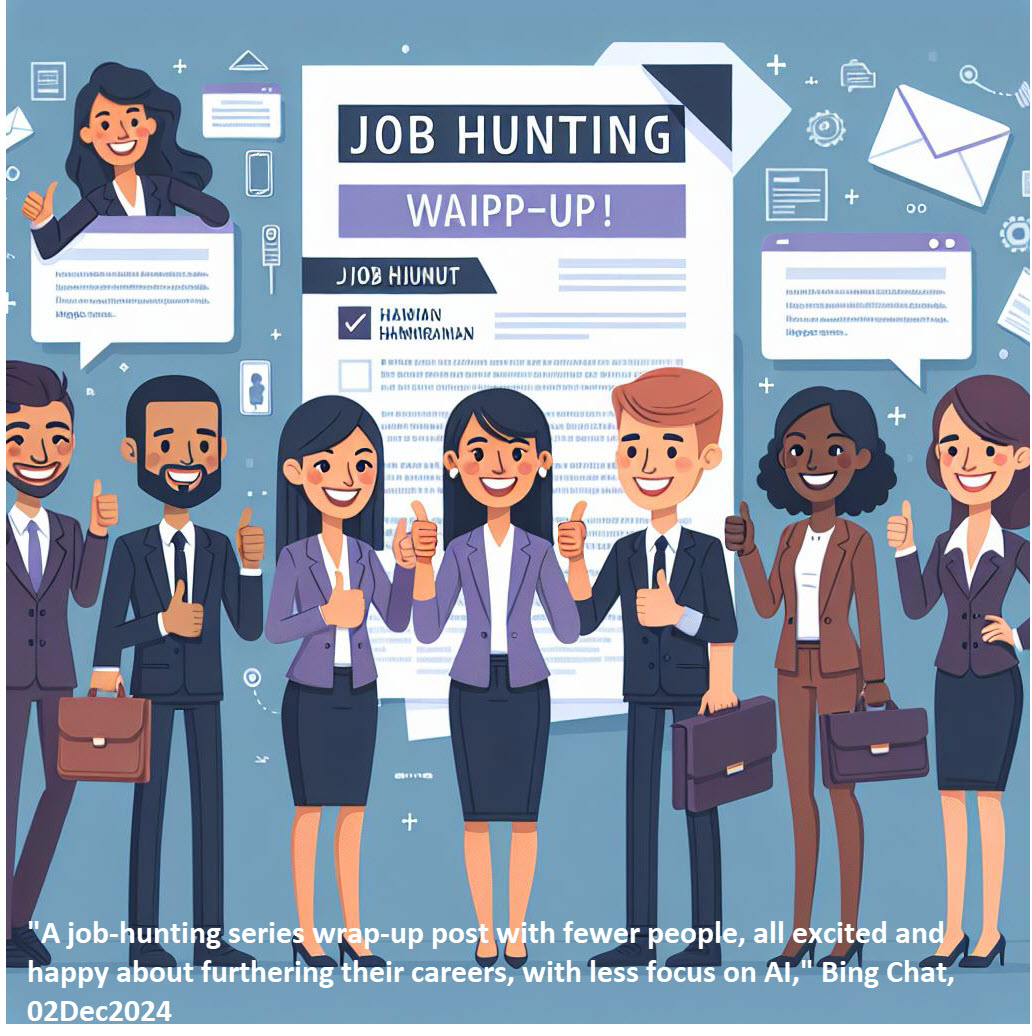
AI Series 3 wrap-up post

AI Series 3 Wrap-Up: Supercharging Your Job Search with AI

As we close out this series, it’s clear that AI is no longer just a futuristic buzzword; it’s an invaluable tool for navigating today’s dynamic job market. From drafting impeccable resumes to expanding your professional network, this series explored practical ways to integrate AI into every step of your job search journey. Let’s recap how AI can help you land your dream role.


What We Covered in This Series

  1. Creating and Tailoring a Master Resume
    • We kicked off the series with the foundations of job hunting: the resume. Using AI tools, you can effortlessly customize your resume for each application, ensuring you stand out with tailored keywords and formats.
  2. AI-Powered Job Hunting: Finding the Right Opportunities
    • In this post, we dove into the powerful AI platforms that can help you discover roles that align with your skills and career goals. From job board algorithms to personalized alerts, we demystified the process.
  3. Preparing for Interviews with AI: Your New Virtual Coach
    • Interviews can be nerve-wracking, but AI is here to help! We discussed how virtual coaches can simulate interview scenarios, provide instant feedback, and boost your confidence.
  4. Writing a Post-Interview Thank You with AI
    • Gratitude goes a long way. This post showed how AI can assist in crafting thoughtful, polished thank-you notes that leave a lasting impression. Hint: this is the one where I introduced super-helpful extra prompting from Steve Little, which is applicable to so much more than thank you notes!
  5. Leveling Up Your Skills with AI: Free and Low-Cost Training Resources
    • Job market competition demands continuous learning. We explored how AI can guide you to affordable resources to enhance your skills, from coding tutorials to professional certifications.
  6. Networking in the Digital Age: How AI Can Expand Your Professional Connections
    • Networking isn’t what it used to be. With AI, you can strategically build your LinkedIn presence, connect with industry professionals, and discover mentorship opportunities.

Your AI Job Search Toolkit: A Checklist

To help you get started, here’s a quick checklist of AI tools and strategies we’ve covered:

  • Resume Optimization: Use AI-powered platforms like Resume.io or Zety.
  • Job Search Engines: Explore LinkedIn Jobs, ZipRecruiter, or AI-enhanced job boards.
  • Interview Prep: Try tools like Big Interview or Mock AI.
  • Post-Interview Notes: Leverage ChatGPT for tone and polish.
  • Skill Development: Tap into Coursera, Khan Academy, or LinkedIn Learning.
  • Networking: Strengthen your professional profile using LinkedIn AI features.

What’s Next?

AI isn’t just a tool; it’s a partner in your career journey. Take time to explore and experiment with these resources. They’ll not only make your job search easier but also prepare you for an AI-integrated workplace.

We’d love to hear how AI has shaped your job search experience! Drop a comment or connect with us on LinkedIn.


Further Resources


Disclosure

AI was used to create a draft of this post. My personal touches and final edits ensure it’s ready for you to explore and enjoy.


Posted in AI-powered job hunting, artificial intelligence | Tagged , | 11 Comments

Networking in the Digital Age: How AI Can Expand Your Professional Connections

Getting Comfortable with AI

AI Series 1: Exploring the Power of AI

AI Series 2: AI for Everyone: Unlocking the Potential of Everyday AI Tools

AI Series 3: AI-Powered Job Search: Navigating the Future of Work

Post 1: Creating and tailoring a master resume

Post 2: AI-Powered Job Hunting: Finding the Right Opportunities

Post 3: Preparing for Interviews with AI: Your New Virtual Coach

Post 4: Writing a post-interview thank you with AI

Post 5: Leveling Up Your Skills with AI: Free and Low-Cost Training Resources

Post 6: Networking in the Digital Age: How AI Can Expand Your Professional Connections

Introduction

Introduction: Your New Networking Wingman – AI

Remember when networking meant juggling a stack of business cards? Good times. But these days, the action has moved online – and AI has joined the party. Whether you’re looking to connect with industry leaders, reach potential clients, or just avoid ghosting your contacts, AI has your back.

In this blog, we’ll uncover how AI can transform networking from a chore into an art form. With smart suggestions, personalized outreach, and data-driven follow-ups, you’ll be ready to grow your network in the digital age.

businesspeople networking

Discussion

Discussion: Networking, But Smarter

AI’s role in networking goes beyond matchmaking. It’s like having a tech-savvy assistant who knows everyone and everything. Here’s how AI tools can help:

  1. Meet Your Match: AI on LinkedIn or Shapr isn’t just throwing darts at a board. It’s analyzing your profile, interests, and goals to recommend people who can actually help you grow.
  2. Smooth Talker: Ever freeze up while writing an outreach email? AI writing tools like ChatGPT or Jasper craft messages tailored to the recipient – no awkward small talk required.
  3. Memory Booster: Forgot your colleague’s promotion last month? Tools like Nimble remind you when to follow up, what to say, and how to keep the connection alive.
  4. First Impressions, Nailed: AI-powered writing assistants like Grammarly ensure your emails and pitches are polished and professional. (Think of it as your digital editor.)

Challenge

Challenge: Put AI to Work

Here’s your action plan to take AI-enhanced networking for a spin:

  1. Start Connecting:
    • Log into LinkedIn and check out the suggested connections.
      • Use ChatGPT or Grammarly to draft a personalized message for one new contact.
  2. Build Relationships:
    • Sign up for a free Nimble trial or explore free CRM tools like HubSpot CRM.
      • Use them to organize and follow up with at least two existing contacts.

Summary

Summary: The Human-AI Networking Duo

AI is like the Robin to your Batman – it amplifies your strengths but leaves the big decisions to you. Use it to connect, follow up, and maintain relationships with less stress and more strategy.

Go Do:

  • Explore AI suggestions on LinkedIn and reach out to one new contact.
  • Use a free AI tool to draft your outreach or track follow-ups.

Thank you for reading!

Further Resources

Disclosure

AI was used to create a draft of this post. I added my own personal touches and take responsibility for all of it.

Posted in AI-powered job hunting, artificial intelligence | Tagged , | 1 Comment

Post 5: Leveling Up Your Skills with AI: Free and Low-Cost Training Resources

Getting Comfortable with AI: Easy-to-Use Tools for Daily Tasks

AI Series 1: Exploring the Power of AI

AI Series 2: AI for Everyone: Unlocking the Potential of Everyday AI Tools

AI Series 3: AI-Powered Job Search: Navigating the Future of Work

Post 1: Creating and tailoring a master resume

Post 2: AI-Powered Job Hunting: Finding the Right Opportunities

Post 3: Preparing for Interviews with AI: Your New Virtual Coach

Post 4: Writing a post-interview thank you with AI

Introduction

Introduction: Upskill with AI, Without Breaking the Bank

Artificial Intelligence (AI) is no longer the exclusive domain of tech experts and researchers. It’s transforming the way we work, solve problems, and advance in our careers. Whether you’re managing projects, analyzing data, or exploring new ideas, AI skills can significantly enhance your capabilities. The best part? You don’t need a hefty budget to start learning. In this post, we’ll explore some of the best free and low-cost resources to help you level up your AI knowledge.

Discussion

Free and Low-Cost AI Training Resources

Here’s a curated selection of training resources for anyone looking to get started with AI or deepen their understanding—all without emptying your wallet.

  1. Coursera: AI for Everyone by Andrew Ng
    • Overview: A beginner-friendly course that demystifies AI and helps you understand what AI can (and can’t) do for your business.
    • Cost: Free to audit, with optional certification for about $49.
    • Key Takeaway: Gain a clear understanding of AI’s capabilities and limitations.
    • Challenge: Think about your daily work. Identify three tasks where AI could make things easier or more efficient.
  2. Microsoft Learn: AI Fundamentals
    • Overview: Microsoft’s AI Fundamentals course introduces AI basics, covering core concepts like machine learning, natural language processing, and computer vision. It’s perfect for those wanting an overview with practical applications.
    • Cost: Free
    • Key Takeaway: A great starting point for beginners, especially those using Microsoft’s ecosystem.
    • Challenge: Complete the AI Fundamentals learning path and consider taking the certification exam if you want to showcase your new knowledge.
  3. edX: Data Science and AI MicroMasters Programs
    • Overview: These programs offer in-depth insights into AI and data science, making them great for anyone considering a career pivot.
    • Cost: Free to audit; certificates available for a fee (varies by program).
    • Key Takeaway: Dive deeper into technical concepts and gain a solid foundation in AI.
    • Challenge: Try the free trial on a specific module and see how it fits your learning style.
  4. Google’s Machine Learning Crash Course
    • Overview: A hands-on introduction to machine learning fundamentals, complete with TensorFlow-based exercises.
    • Cost: Free
    • Key Takeaway: Learn practical machine learning concepts and gain hands-on experience with Google’s tools.
    • Challenge: Use Google Colab (also free) to try out machine learning exercises and see the results in real-time.
  5. Fast.ai’s Practical Deep Learning for Coders
    • Overview: A project-based course where you’ll quickly learn to train your own AI models, even without a strong math background.
    • Cost: Free
    • Key Takeaway: Discover the power of deep learning through real-world projects.
    • Challenge: Start a small project, like creating a model to classify images or perform basic text analysis.
  6. YouTube and Community Resources
  • Overview: Channels like 3Blue1Brown, Tech with Tim, and Two Minute Papers make complex AI concepts accessible.
  • Cost: Free
  • Key Takeaway: Short, visual-rich videos are perfect for on-the-go learning and cover both basic and advanced AI concepts.
  • Challenge: Watch a few videos on a specific topic, then create an infographic or short summary to reinforce your learning.

Challenge

Select one of the challenges above and commit to completing it. By taking this small step, you’re not just consuming information—you’re actively applying what you’ve learned, which is the key to mastering any new skill.

Executing the Challenge

As an example, I chose the challenge from Coursera: AI for Everyone by Andrew Ng:

Challenge: Reflect on your daily work and identify three tasks where AI could make things easier or more efficient.

1. Email Management

AI-powered email clients can prioritize important messages, filter out spam, and even suggest responses, saving time and increasing productivity.

2. Data Analysis

Leveraging AI tools to automate data cleaning and preliminary analysis can expedite the process of turning raw data into actionable insights.

3. Scheduling Meetings

AI assistants can coordinate calendars, find optimal meeting times, and schedule appointments automatically, reducing the back-and-forth communication typically required.

By identifying these areas, I can explore specific AI solutions to implement in my workflow, enhancing efficiency and productivity.

Summary

Wrapping It Up: What’s Your Next Move?

Starting with AI can be as simple as auditing a course or following a YouTube tutorial. The key is consistency—try to integrate small learning sessions into your week. Before you know it, you’ll be finding new ways to apply AI to your work and daily life. So, pick a resource from this list, dive in, and start leveling up today!

Thank you for reading!

Further resources

  • AI for Everyone LinkedIn Group: Join a community of AI enthusiasts where you can share insights and learn from others.
  • Local AI Meetups: Many cities host free or low-cost meetups where you can see AI in action and network with like-minded learners.
  • Kaggle: Participate in data science competitions and access free datasets to practice your AI and machine learning skills.
  • TensorFlow Playground: An interactive visualization of neural networks, perfect for beginners to understand how they work.

Disclosure

AI was used to create a draft of this post. I added my own personal touches and take responsibility for all of it.

Posted in AI-powered job hunting, artificial intelligence | Tagged , | 1 Comment

Post 4: Writing a post-interview thank you with AI

Getting Comfortable with AI: Easy-to-Use Tools for Daily Tasks

AI Series 1: Exploring the Power of AI

AI Series 2: AI for Everyone: Unlocking the Potential of Everyday AI Tools

AI Series 3: AI-Powered Job Search: Navigating the Future of Work

Post 1: Creating and tailoring a master resume

Post 2: AI-Powered Job Hunting: Finding the Right Opportunities

Post 3: Preparing for Interviews with AI: Your New Virtual Coach

Post 4: Writing a post-interview thank you with AI


Introduction

Imagine acing an interview, walking out with a spring in your step, only to wonder, “How do I craft a thank-you note that truly captures my personality and professionalism?” Enter AI! In today’s world, AI tools can be your handy sidekick for this task, helping you write a thoughtful, customized thank-you note that leaves a lasting impression. Let’s explore how AI can streamline the process, add polish, and help you express exactly what you want to say—without sounding robotic.

Please note that most thank you notes these days are actually emails – and that is fine. The same tips below apply.

Special bonus! This post contains a prompting tip from the National Genealogical Society’s AI Program Director, so make sure you read through the step-by-step guide below.


Discussion

Why Use AI for Your Thank-You Note?

Using AI to draft a thank-you note offers several advantages:

  • Saves Time: AI can quickly generate drafts, giving you a base to work from.
  • Improves Quality: With built-in grammar checks, suggestions, and the ability to personalize, AI helps you create a polished note.
  • Break Through Writer’s Block: Sometimes, getting started is the hardest part. AI can help inspire and provide fresh ideas.

Whether you’re using a popular tool like ChatGPT, Jasper, or a simpler auto-complete option, AI can help you put together a thank-you that feels genuinely “you.” I personally have had great success writing thank you notes this way.


Step-by-Step Guide to Using AI for Your Thank-You Note

1. Gather Key Points from the Interview

Before you open an AI tool, make a quick list of highlights from the interview. These could be:

  • Insights or projects the interviewer shared.
  • Any particular challenges or goals for the role.
  • A memorable moment or connection during the conversation.

Having these notes handy ensures you’re feeding the AI tool useful details to work with, resulting in a thank-you note that feels genuine and specific.

2. Prompt AI for a Draft

A simple AI prompt can get you a structured draft. Here’s an example:

Write a thank-you note for a [position name] interview at [company name]. Mention excitement about [specific project or topic discussed], emphasize [a skill or strength], and express appreciation for the opportunity.

This approach sets the stage for a note that’s clear, tailored, and ready for quick personalization.

3. Add Personal Touches and Edit for Tone

AI-generated notes are great as a base, but a few tweaks will make them shine. Here’s where you:

  • Add Personal Details: Use the interviewer’s name, reference specific points from the conversation, and make it feel personal.
  • Adjust for Tone: AI can sometimes be overly formal or casual. Read through to make sure the tone aligns with how you want to come across—professional but approachable works best for most interviews.

4. Improve it

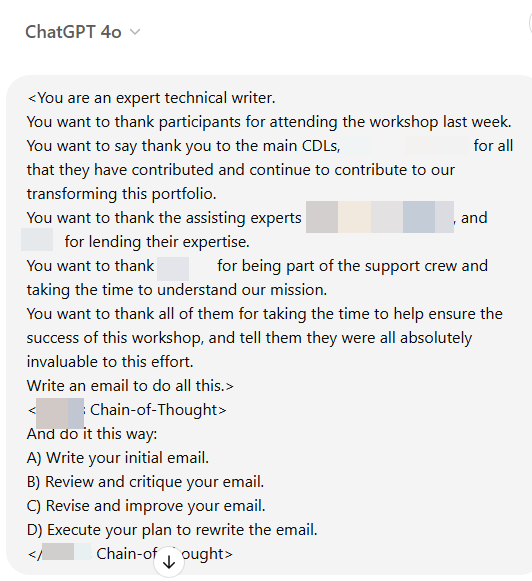
Steve Little, in a recent blog entry, discusses what he calls a structured prompt or a chain-of-thought prompt. You’re telling the AI to improve itself. His prompt includes:

And do it this way:

A) State your initial assessment and plan.

B) Review and critique your plan.

C) Revise and improve your plan.

D) Execute your plan.

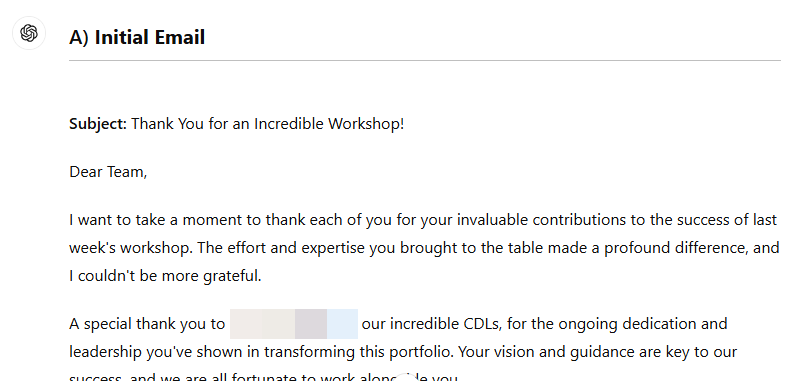
Try it. It’s truly magical. I’ve seen valid self-critiques and appreciably better output using this prompt addition. See my example below with screenshots . A HUGE thank you to Steve for giving permission to share!


Sample AI-Enhanced Thank You Note

Let’s look at a sample thank-you note generated using an AI prompt and refined with personal touches. Replace the placeholder text in [square brackets] with specifics to your situation.


Subject: Thank You for the Opportunity

Hello [Interviewer’s Name],

Thank you for the opportunity to interview for the [Job Title] position at [Company Name]. I enjoyed our conversation about [specific project discussed], and I’m excited about the prospect of contributing to your team. Learning about [any specific challenge or detail] was inspiring, and I believe my experience with [relevant skill or tool] would make a meaningful impact on your goals.

Thank you again for your time and insights. Please let me know if there’s anything further you’d like to discuss. I look forward to the possibility of joining [Company Name]!

Best regards,
[Your Name]


AI Tools to Try for Thank-You Notes

Here are a few tools that can help you draft, edit, and polish your thank-you note:

  • ChatGPT: For generating customizable drafts with prompts.
  • Grammarly: Provides tone adjustments, grammar suggestions, and clarity enhancements.
  • Microsoft Word: Its built-in Copilot has proven very helpful to me.
  • Jasper: For more elaborate, tone-controlled drafts, Jasper offers tailored prompts specific to job search communication.

AI in Action: A Takeaway Challenge

Here’s a quick exercise to help you get started:

  1. Draft a Thank-You Note: Use an AI tool to generate a draft thank-you note based on a recent interview. I encourage you to use a model where you enter prompts, rather than an out of the box tool, but use whatever works best for you.
  2. Refine It (manually): Add specifics from the interview and adjust the tone to sound like you.
  3. Polish and Send: Use AI grammar checkers for final touches, then send your polished note.

Final Thoughts

AI can be a powerful tool for crafting thank-you notes that hit the right notes—quickly, effectively, and with style. By blending AI-generated structure with your own personal touch, you’ll send a thank-you that leaves a lasting impact. Give it a try. Experiment with different tools and see which fits your style best. Keep the message genuine and uniquely you, while letting AI be your secret weapon for acing the follow-up!


Further Resources

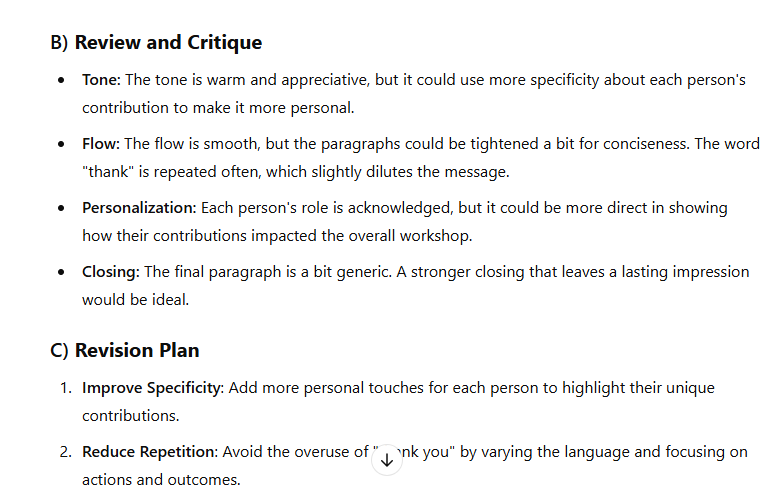
Results:

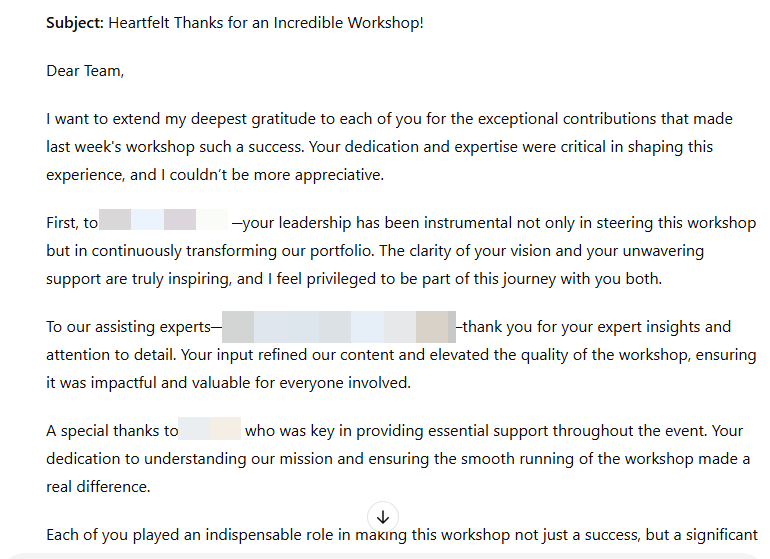
The first draft looked like:

Its critique and revision plan:

And its final version:


Disclosure

This post was crafted with AI assistance, then refined for readability and personalization.

Posted in AI-powered job hunting, artificial intelligence | Tagged , | 1 Comment

Preparing for Interviews with AI: Your New Virtual Coach

Getting Comfortable with AI: Easy-to-Use Tools for Daily Tasks

AI Series 1: Exploring the Power of AI

AI Series 2: AI for Everyone: Unlocking the Potential of Everyday AI Tools

AI Series 3: AI-Powered Job Search: Navigating the Future of Work

Post 1: Creating and tailoring a master resume

Post 2: AI-Powered Job Hunting: Finding the Right Opportunities

Post 3: Preparing for Interviews with AI: Your New Virtual Coach

Introduction

Imagine walking into your next job interview feeling confident, prepared, and ready for any question that comes your way. Sounds amazing, right? What if I told you that AI can be your secret weapon to make this happen?

With an AI-powered virtual coach, you can simulate interview questions, fine-tune your answers, and even get real-time feedback. Whether you’re practicing for a tech role or leadership position, AI is the coach that never sleeps and is always ready to help. Let’s dive into how you can start using AI today to get prepped for your big moment!

Discussion

1. Interview Simulations: Your Practice Ground

AI can help you rehearse by simulating interview questions. Just like a personal coach, it asks questions tailored to your role and even throws in curveballs to keep you sharp.

Prompts to try:

  • Can you simulate an interview for a marketing manager role?
  • Ask me situational questions related to project management.

Why it helps: You get to experience the pressure of being on the spot while having the flexibility to retry and refine your answers.

2. Improve Your Responses: Fine-Tuning with Feedback

After you give your answers, AI tools can analyze your response. They can point out areas where you might need to clarify or strengthen your answer. Some even guide you through popular methods like the STAR technique.

Prompts to try:

  • How can I improve my answer to ‘Tell me about a time you overcame a challenge.’?
  • Help me format my response to ‘Describe a time when you managed a team through changeusing the STAR method.

Why it helps: This feedback is like having a mentor who listens carefully and gives you constructive criticism without any judgment!

3. Enhance Delivery: Tone, Body Language, and Confidence

For video interviews, advanced AI tools can analyze your tone, pace, and body language. It will highlight areas where you might come across as too anxious or overly casual, so you can fine-tune how you present yourself.

Prompts to try:

  • Analyze my tone in this recorded answer: ‘Tell me about your leadership style.’
  • What can I improve in my body language during video interviews?

Why it helps: Being aware of your non-verbal communication can make you feel more in control and confident.

4. Track Your Progress: Personalized Coaching

The more you practice, the better you’ll get. AI tools track your improvement over time and give you insights into recurring mistakes or weak points.

Prompts to try:

  • What common mistakes have I made during the last three interviews?
  • What are the top three things I should focus on to improve my interview performance?

Why it helps: Tracking your growth allows you to focus your practice on areas that will make the biggest impact.

Challenge: Time to practice

Let’s put these tools to the test. Follow these steps to start using AI as your virtual coach:

  1. Choose an AI tool: Some great options include ChatGPT (free/paid), InterviewAI (free/paid), and HireVue (paid).
  2. Simulate a mock interview: Use the prompts provided in this blog to generate realistic questions.
  3. Record yourself answering the questions (especially for video interviews) and ask AI to give feedback on your responses.
  4. Refine your answers based on AI’s suggestions and go through at least two more rounds of practice.

Once you’ve practiced a few times, you’ll notice a big difference in how you handle interviews!

Summary

Incorporating AI into your interview prep can make a world of difference. It’s like having a personal coach to help you practice, provide feedback, and build your confidence. Your go-do action: choose an AI tool or model, run a mock interview, and see how your answers evolve with AI’s help. You’ll be ready to ace your next interview in no time!

Further Resources

  • InterviewAI – AI-powered interview simulations (free/paid)
  • HireVue – Video-based AI interview preparation (paid)
  • ChatGPT – General AI chat tool for interview coaching (free/paid)

Disclosure

AI was used to draft this post, but I’ve added my personal touch and take full responsibility for its content.
Posted in AI-powered job hunting, artificial intelligence | Tagged , , , | 1 Comment