Form colors in Dynamics AX 2012

A client wanted form color to reflect the environment (AOS) they were in. It’s changed a bit in 2012. I found a post online but had to tweak it to work for me. Here is the code.

Sorry for the layout; still getting the hang of this blogging thing.

Class SysSetupFormRun method init

public void init()
{
SysSQLSystemInfo systemInfo = SysSQLSystemInfo::construct(); // mca jeb 05Nov2012
str databaseName; // mca jeb 05Nov2012

super();

if (this.isWorkflowEnabled())
{
workflowControls = SysWorkflowFormControls::construct(this);
workflowControls.initControls();
}

// mca jeb 05Nov2012 begin
this.design().colorScheme(FormColorScheme::RGB);
databaseName = systemInfo.getloginDatabase();
switch (databaseName)
{
case “DAX2012_DEV”:
this.design().backgroundColor(WinAPI::RGB2int(224, 176, 255));//mauve
break;
case “DAX2012_CRP”:
this.design().backgroundColor(WinAPI::RGB2int(255,255,153));//canary
break;
case “DAX2012_TEST”:
this.design().backgroundColor(WinAPI::RGB2int(152,251,152));//pale green
break;
case “DAX2012_PREPROD”:
this.design().backgroundColor(WinAPI::RGB2int(255,99,71));//tomato
break;
default:
info(strFmt(“Database %1 does not have a color”, databaseName));
}
// mca jeb 05Nov2012 end
}

Posted in AX2012, Dynamics AX | Leave a comment

Stack trace in runPrintMgmt line 15

Seems my blog on the PSAPWPTxt error is getting more hits to my blog than all the others combined. Here’s a similar error I just encountered.

I hear it was a bug introduced in CU3. Like we didn’t have enough PO printing errors.

When the users tried to confirm/print a purchase order in CU3, they got “Error executing code: Wrong type in field number. Stack Trace (C)\Classes\PSAPurchaseOrderController\runPrintMgmt – line 15 ….”

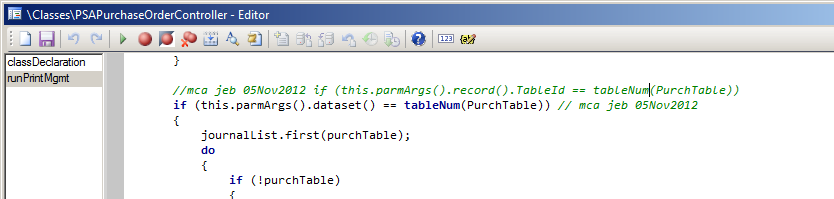
The fix is to change
if (this.parmArgs().record().TableId == tableNum(PurchTable))

To
if (this.parmArgs().dataset() == tableNum(PurchTable))

Like such

This is an error with both the PSA and non-PSA versions.

If I find the blog where I found this fix, I’ll add the link.

Hope this helps!

Happy DAXing!

Posted in AX2012, Bug, Dynamics AX | Leave a comment

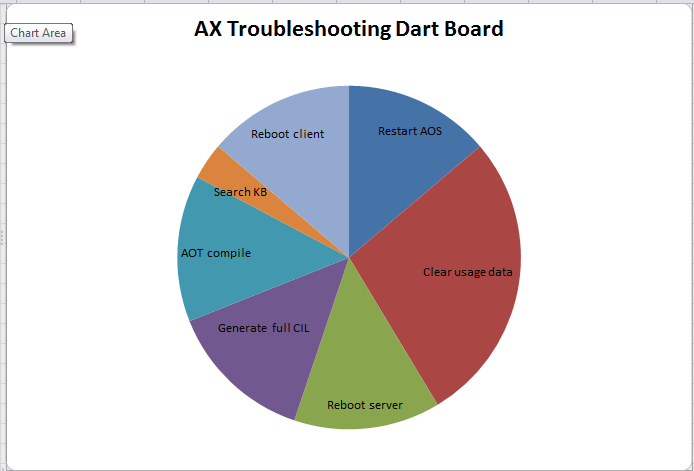
AX Troubleshooting Dart Board

Save yourself a call to IT with our handy-dandy troubleshooting dart board!

Happy DAXing!

Posted in AX2012, Dynamics AX, Humor | Tagged | 1 Comment

X++ Developer meme – what people think I do

Had a rough few days at work! Still ongoing. So I provided myself a little comic relief – and I hope you, too.


Posted in Dynamics AX, Humor | 2 Comments

Why doesn’t this button do anything?

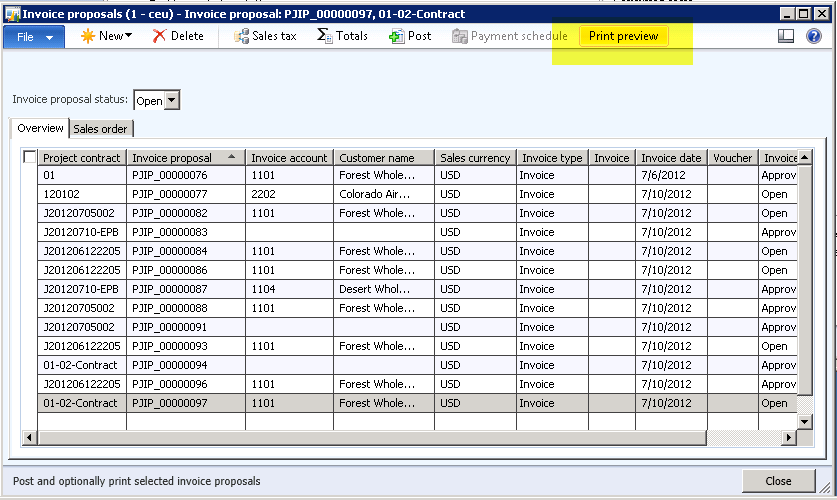
One of my users recently went this morning to AX 2012’s Project management and accounting > Common > Project Invoices > Invoice proposals


and clicked a button and got – nothing!


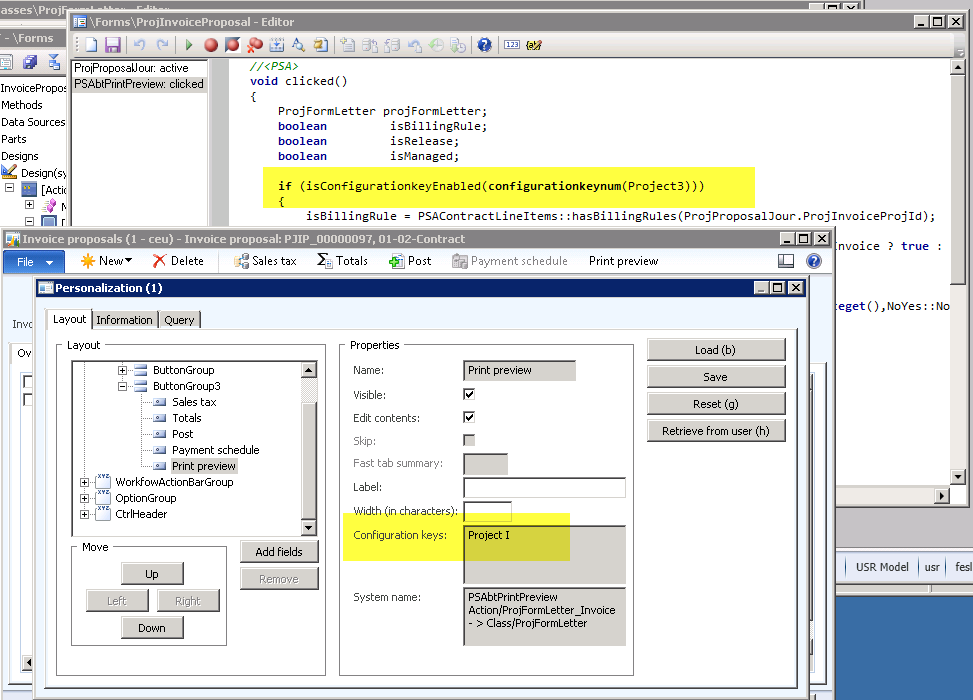
It seems that the button *appears* if Project I is enabled. But it only runs code if Project III is enabled:


Hey, I only report them…


Happy DAXing!


Posted in AX2012, Bug, Dynamics AX | Leave a comment

Management Reporter 2012

I’m supporting a colleague who’s been training users in Management Reporter 2012 (for Dynamics AX 2012). Here are links to some of the info I’ve gathered.

Management Reporter

My focus is on Dynamics AX 2012

This is just a start; don’t have the time for a comprehensive list!

New 07Mar2014 Adding users in Management Report in Microsoft Dynamics AX 2012 R2

Documentation for Management Reporter blog collection of links

Management Reporter for Microsoft Dynamics ERP known issues

Management Reporter versions handy dandy blog listing

Management Reporter for Microsoft Dynamics ERP YouTube video

Partnersource (you need to log on to access) (Please note, the MS links are giving my browser conniptions. If you, too, experience problems, just log on to PartnerSource and search Management Reporter.)

Report Design in Management Reporter 2.0 for Microsoft Dynamics ERP Course Number 80255

Microsoft’s Management Reporter launch page – many good links here, and this link should work

Whitepapers

Installation, Migration, and Configuration Guides for Management Reporter for Microsoft Dynamics ERP

How to Add a Company in Microsoft Management Reporter 2012

How to Delete a Company in Microsoft Management Reporter 2012

How to Configure SharePoint 2010 for Microsoft Management Reporter 2012

Creating Microsoft Dynamics® AX 2012 Financial Statements by Using Management Reporter (lost the link)

Demo Data:

–          Search for Management Reporter demo data:  http://social.msdn.microsoft.com/Search/en-US?query=management%20reporter%20demo%20data&ac=3

–          Demo data forum http://social.microsoft.com/Forums/is/managementreporterBeta/thread/111d2134-1078-4dad-a073-80f37684ebac

–          Demo script to be used with the 2012 virtual machine https://mbs.microsoft.com/downloads/customer/AX/AX2012PS007ManagementReporter.docx

Blog about MR 2012 release http://blogs.msdn.com/b/dynamicscpm/archive/2012/03/31/management-reporter-2012-released.aspx

EDIT 30Jul2012: A great blog on this topic: http://dynamics-ax.blogspot.com/2012/07/informationsource-wealth-of-management.html

Edit 02Aug2012: MR does not support SQL 2012 unless you go to RU2: https://community.dynamics.com/product/ax/f/33/t/79884.aspx

MR RU2 available: http://blogs.msdn.com/b/dynamicscpm/archive/2012/07/31/new-management-reporter-2012-update-available.aspx

Also note in that page: Please also note that this is the final release for the Dynamics AX 2012 INTFx data provider. Dynamics AX 2012 customers should make plans to transition to the Data Mart provider; you will see improved performance and stability with this Dynamics AX 2012 option. What does this mean for us? Time to start looking into INTFx…

Posted in AX2012, Dynamics AX | Leave a comment

Duplicate in Number Sequence

A word to the wise – a user reported an error where on insert, duplicate record was thrown. The key was a number sequence generated ID.


Turns out the number format was ABCD-###### (11 characters) based on a field (HiererachyIDBase) which was only 10 characters.


Stoopid form let them put the format in and all.


Happy DAXing!

Posted in AX2009, AX2012, Dynamics AX | Tagged | Leave a comment

Error “The ‘PSAPwpTxt’ parameter is missing a value” – solved

My client had originally had Project III turned on, and ran some reports, including Purchase Order.

Then the PSA stuff caused lots of problems (workflow approval, that kind of thing) and the functional folks voted unanimously to turn the Project III key off.

Well, Print Management saved the “preference” for the PSA version of the Purchase Order, and it won’t run anymore, because it’s looking for PSA parameters it’ll never get. The specific error manifested itself as “The ‘PSAPwpTxt’ parameter is missing a value”:

So I *deleted* that report from PrintMgmtReportFormat table, and it had no “original” print management settings to go to, so then correctly decided it should run PurchPurchaseOrder.

static void fixPsaPwpTxtError(Args _args)

{   // mca jeb 19Jul2012

PrintMgmtReportFormat printmgmtreportformat;

ttsBegin;

delete_from printmgmtreportformat

where printmgmtreportformat.documentType == PrintMgmtDocumentType::PurchaseOrderRequisition;

ttsCommit;

info(strFmt(“done”));

}

(You might need to run this by company.)

MS support was not so helpful. They wanted me to either turn Project III back on, or get rid of the Project Accounting and Management module.

Happy DAXing!


UPDATE 20Jul2012: I should mention that we had already installed KB2628173 but it didn’t fix it, probably because Project III was turned off.

Posted in AX2012, Bug, Dynamics AX | 1 Comment

Downgrading a model in AX2012?

If you try to import a model, and get an error that the model file is from a newer version of Microsoft Dynamics AX and cannot be installed, I have not yet found a way around that. You need to upgrade your AX, find an upgraded AX, or ask for an xpo instead. If anyone has found a better way, I’m happy to listen.

The point is, if you are developing for a customer on a more recent version than the customer has, they WILL have problems. This is, of course, different from xpos in earlier versions. Clearly MS still has some work to do on their “model model.”


EDIT 12 Jul 2012: I requested hotfix 2696835 from Microsoft, which brought the version up to 6.0.1108.403, which was sufficient for my import. Microsoft says, “This fix is not publicly available through the Microsoft website as it has not gone through full Microsoft regression testing.” I imagine, though, that CU3 (just released) would do the trick also.

Posted in AX2012, Dynamics AX | Tagged , , , | 1 Comment

Bug in GL Consolidation import

I am currently investigating what definitely appears to be a bug in the General Ledger Consolidation import in AX2009. A quick look at AX 2012 indicates that bug is probably corrected.

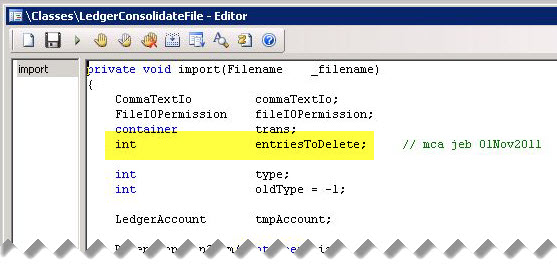
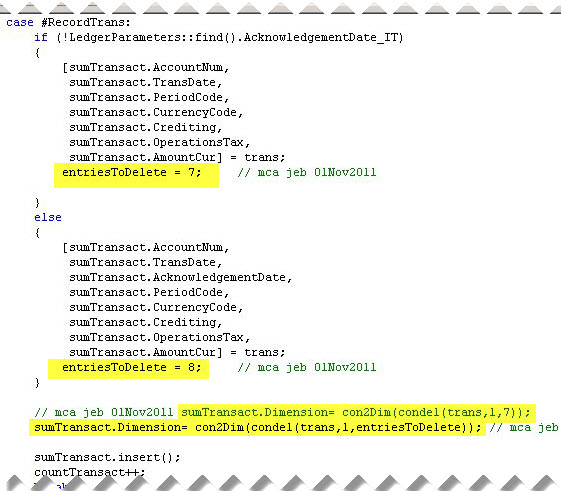
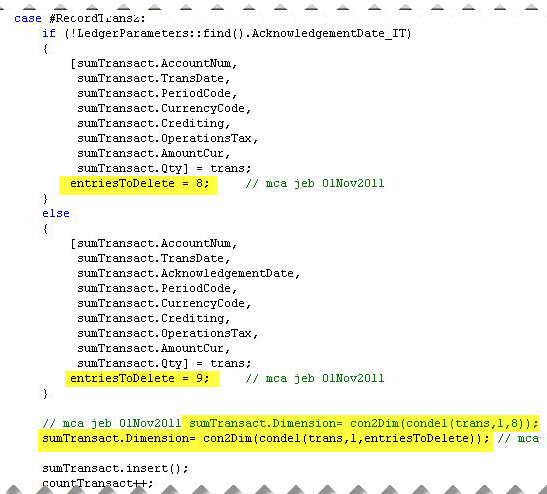
Class method LedgerConsolidateFile.import recognizes that the import file will contain a variable number of fields, but it fails to allow for that when it does a trim (condel) prior to looking at the dimensions.

Please refer to the screenshots below for the data and my fix.


Posted in AX2009, Bug, Dynamics AX | Tagged , , , , , , , | 1 Comment