
My report from the technical conference.
For Day 3 session 3 I went to Better together: How Microsoft Dynamics AX leverages SQL Azure and the latest Microsoft data platform with Sunil Agarwal, Michael Gall, and Milinda Vitharana.
Lots of visuals today.
Agenda
- Topology in the cloud or on premise using SQL Server 2016
- Dynamic scaling of server in the cloud
- Multiple read-only databases to distribute the load
- One database for OLTP and Analytics workloads
- In-memory OLTP for highly performant operations
- Dynamics AX Entity store and scenarios
- Cortana Analytics suite integration
You can dial up or down the database to meet the load demand
No more cubes. Analytics are served by the real time database
Topology in cloud or on-premise
Dynamics AX platform
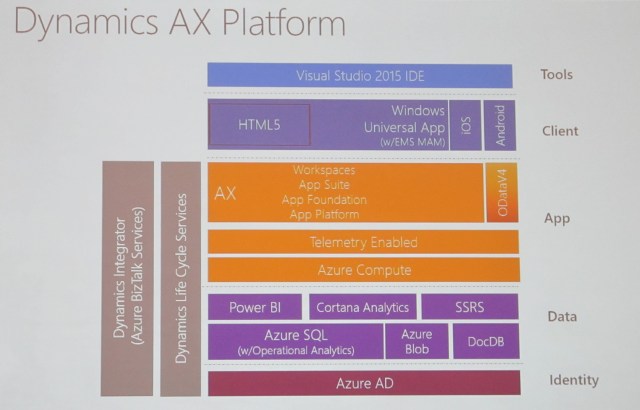
We’ll be talking about the data layer in the photo
SQL Server in Dynamics AX topologies
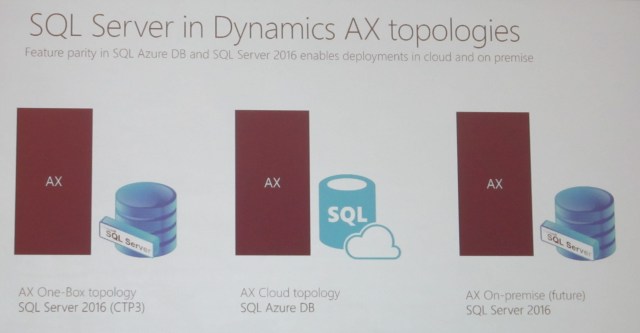
Back end is not SQL Server; it’s SQL Azure
Features released to the cloud before they are released to the box. Then customers test them then we send a high quality product to the box
Dynamic Scaling
SQL Database service tiers
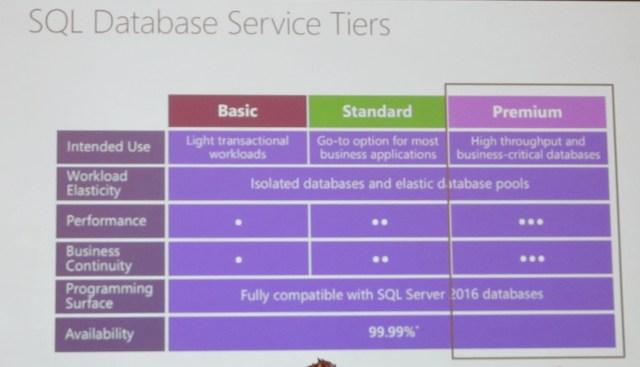
Premium = Enterprise
Predictable performance
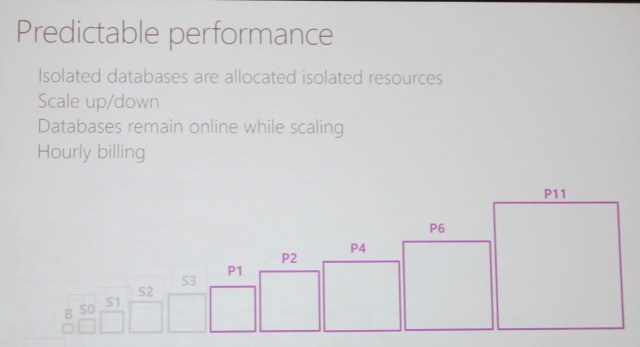
Microsoft scales up and down as needed; it is invisible to the user
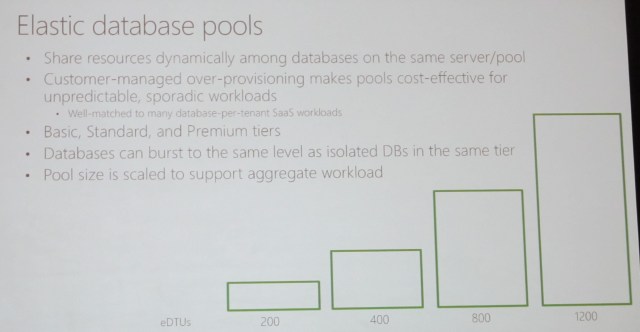
Elastic database pools
Multiple read-only databases
Dynamics AX data
Primary to secondary in seconds
Secondary to entity store in minutes
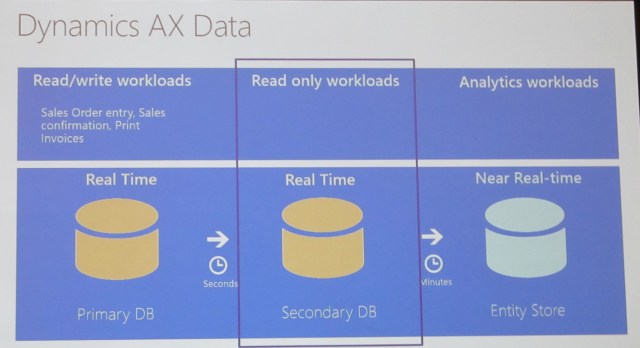
Read only secondary (ROS) DB
- Available in production environments
- One or more ROS DBs provisioned based on volume and load
- Selected workloads routed by AOS to ROS
- Workload patterns determine whether they can be run on ROS. Developer doesn’t choose
- Some (limited) configuration options
- Ex: Tile cache can be optimized by administrator where required
- Exact copy, seconds late…
- Data in primary DB is reflected in secondary within seconds
Multiple Read-only Secondary Databases

Real-time operational
Minimizing data latency for analytics
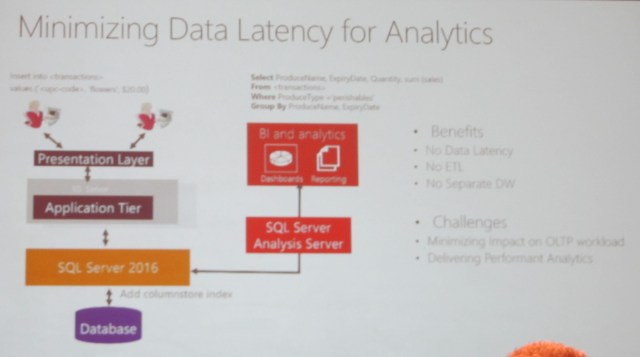
Add challenge: Delivering Performant Analytics
Real-time analytics
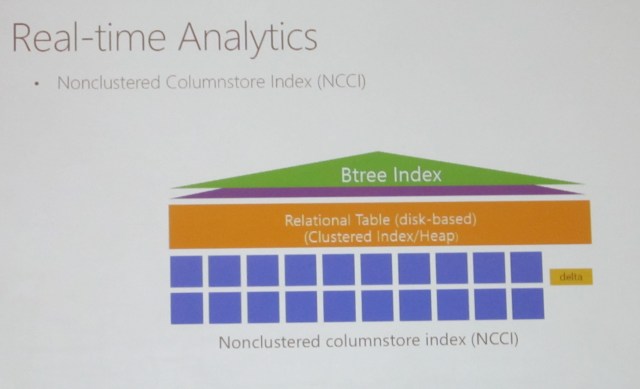
NCCI is very efficient
Real-time analytics: Minimizing columnstore overhead

Demo: How AX leverages SQL Operational analytics
Index type can be index or columnstore
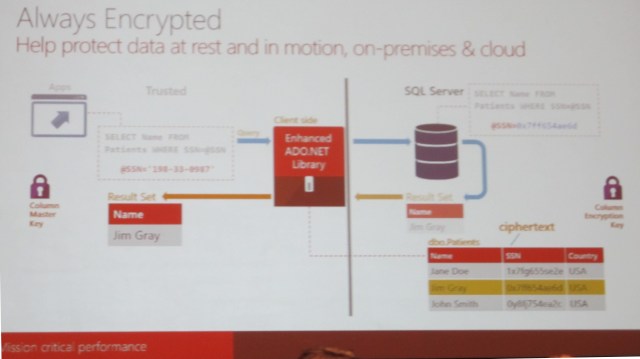
Future: Secure data on the move and at rest
Always encrypted
“like” is not available because similar strings encrypt differently
Temporal option available so you can restore from 5 or from 20 minutes ago
Future: in-memory OLTP
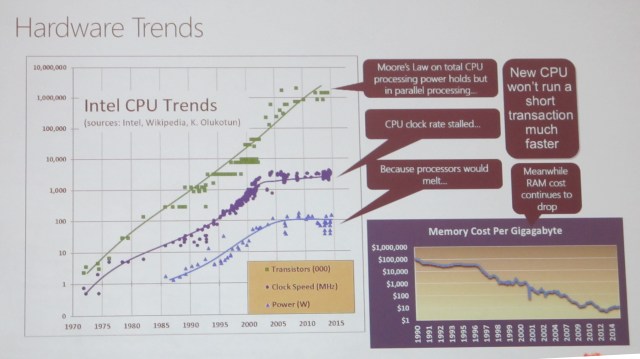
Hardware trends
In-memory OLTP – architectural pillars
Transform high level operations to C programs
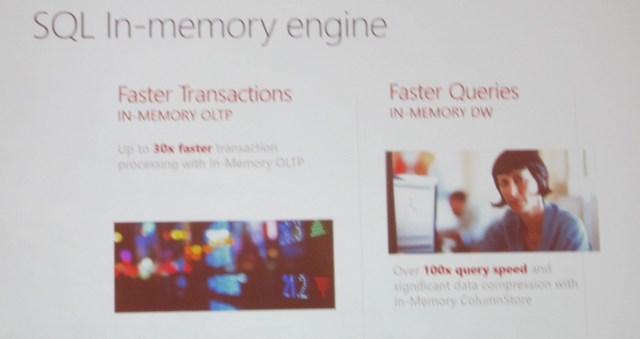
30x performance improvement

SQL In-memory engine
How AX7 uses in-memory OLTP
In 2016 we allow 2TB for in memory
In the future: Dynamics AX entity store
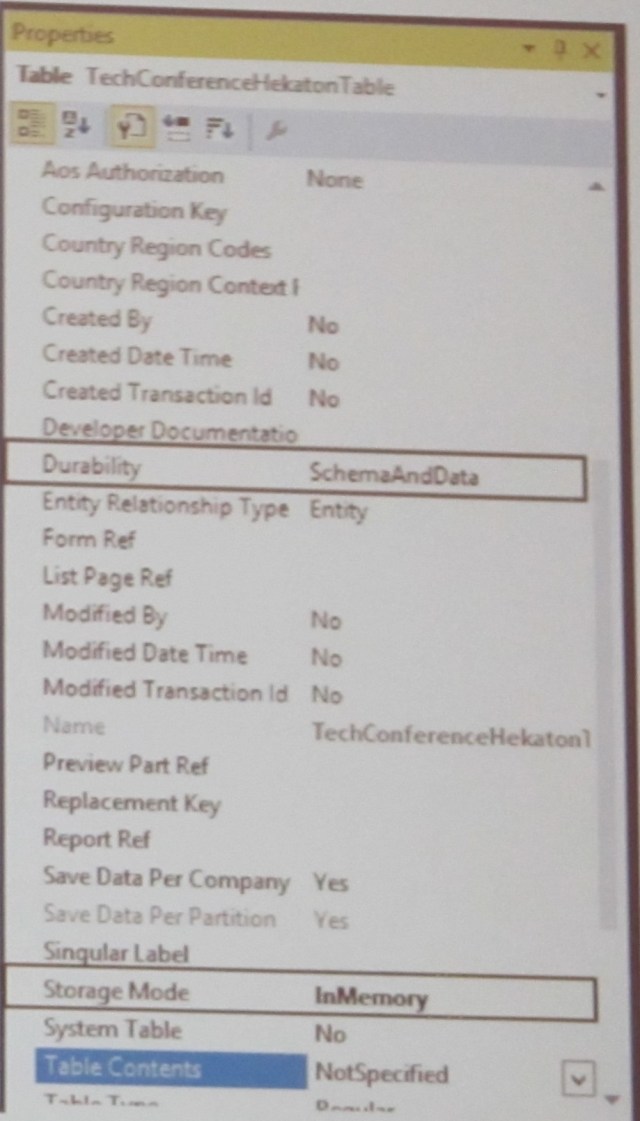
- Mark the table as Storage Mode = InMemory
- Set Durability:
- SchemaAndData: Data can be recreated after crash (from transaction log)
- Schema: Data is lost after crash
- System administrator has to accept the setup
Dynamics AX data
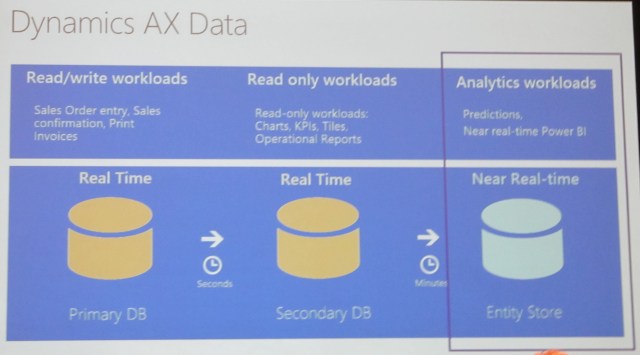
Entity store – key scenarios
- High volume, near real-time Power BI reporting
- De-normalized schema, CCI to enable faster query responses, incremental update from AX, direct Query Power BI models
- Intelligent business processes with Cortana Analytics suite
- Stage data for Azure Data Factory pipelines, Consume in Azure Machine Learning
- IoT, external data integration
- Staging in Azure Data Lake and Azure Data warehouse
Entity store – key tenants
- Designed for analytical scenarios
- Azure DB entity store included in AX license
- AX manages deployment and refresh
- Optionally, customer can stage data in Azure DB, DL and DW for read-write scenarios
- Coming soon to AX2012 R3
There will be an entity store for AX 2012
Future: Cortana Analytics Suite Integration
From data to decisions and actions
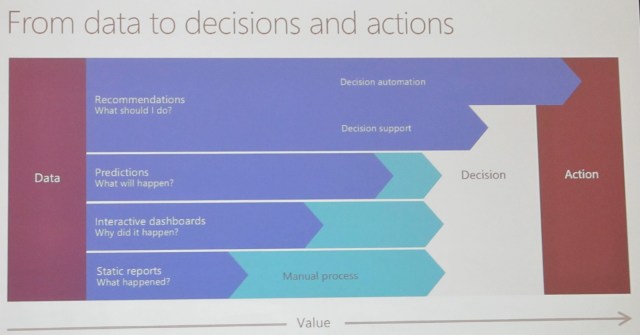
Cortana Analytics Suite
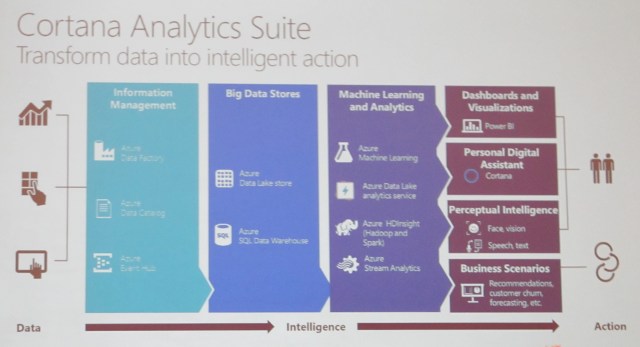
From data to decisions and actions
Updated
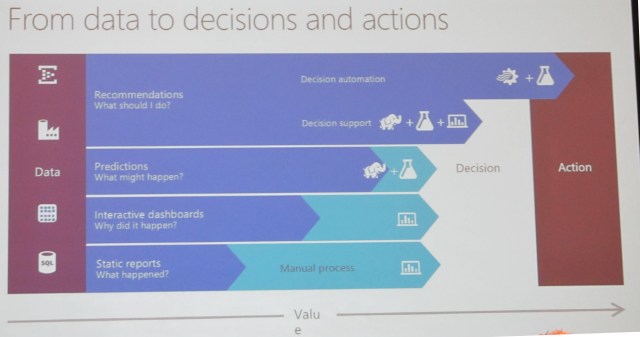
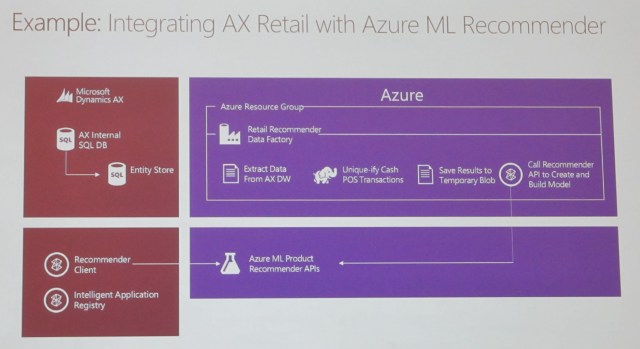
Example: Integrating AX Retail with Azure ML Recommender
AX + CAS go-to market approaches
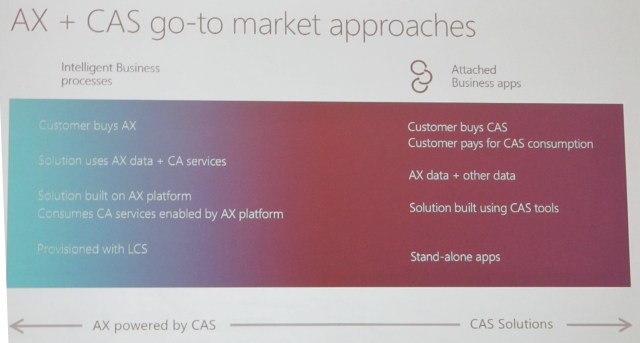
CAS = Cortana Analytics Services
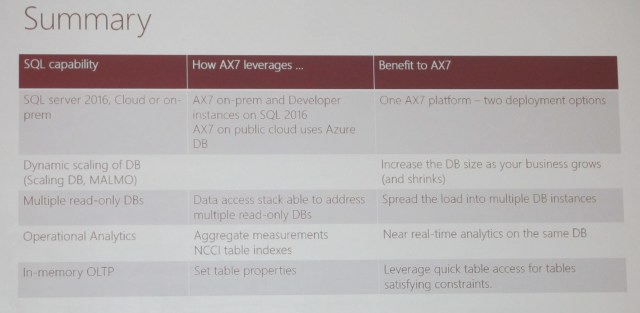
Summary
Happy DAXing!




 janeteblake