
My report from the technical conference.
And many, many thanks to those who retweet these blogs! It’s much appreciated. I am now pushing to complete this… look for this to be wrapped up by Monday morning.
I went to Mining the metadata and authoring X++ best practice rules in Microsoft Dynamics AX with Peter Villadsen, program manager.
It was full (of course) but I refused to miss another Villadsen breakout session, so sat on the floor. I started a trend and had lots of company.
Session Objectives and Takeaways
- Session Objective(s)
- Learn about the role of metadata in Dynamics AX7 and how to leverage its value
- Understand the extensibility story for the new X++ compiler
- Understand how to write add ins into Visual Studio to provide new functionality
- The metadata is more pervasive and more useful than ever
- The AX development environment can be extended
- It is possible to extend the compiler easily
Dynamics AX Metadata
- The Dynamics AX environment is based on metadata
- Metadata is now stored in XML files in the file system, not in a database.
- Everything is open; there are no “blobs”.
- The XML files are the unit of Source Control.
- The metadata access does not depend on server
XML Metadata files
Showed them on the file system
Application explorer is a read-only view
Metadata access
Consuming metadata
- There are several ways of consuming metadata in Dynamics AX7:
- Using raw System XML APIs
- Using the dict* classes from X++
- Using the automation API from Visual Studio add-ins
- Using managed APIs: (compile time, general)
- Using the OData service
Consuming metadata as XML
- You saw the XML metadata stored in files by package, model, and kind
- It is easy to do sweeps of these files using XML APIs in either X++ or C#.
- Pros:
- XML can be accessed on any device, everywhere
- Easy to search using LINQ or XPATH
- Cons:
- It is not type safe
- It is slightly clunky
Demo
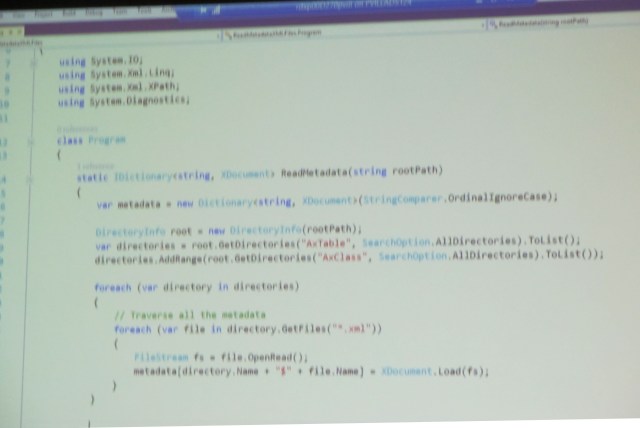
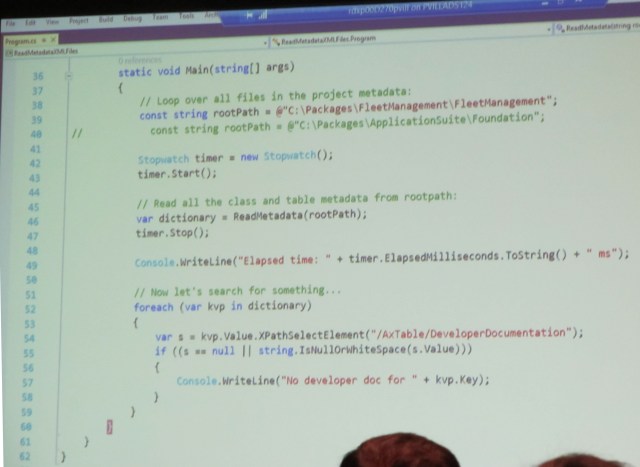
Application note: large scale query map of metadata files. Used an open source edition, ran even faster
Using the dict* classes
- The dict* classes from AX6 were re-implemented on top of the new metadata API
- They support existing code, but new metadata is now leveraged through these APIs
- The TreeNode API is available too for some cases (except for writing)
- Pros:
- Compatibility
- Easily used from X++
- Cons:
- A little kludgy
- Inelegant but they do work
Consuming metadata through dict* classes
Demo
Legacy code will probably work
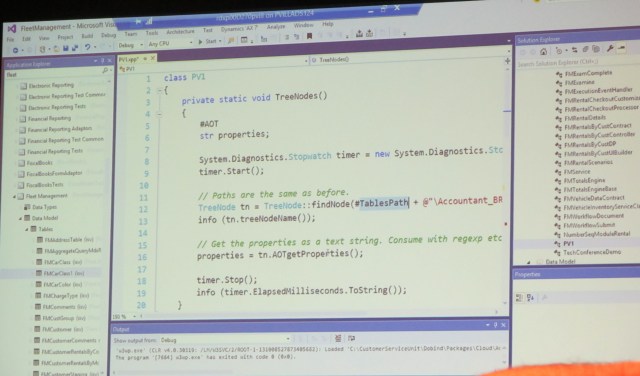
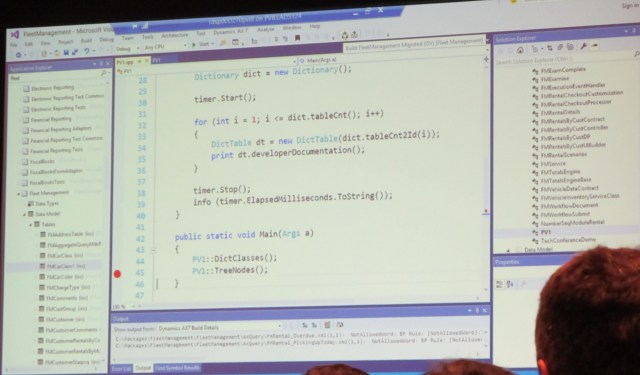
Accessing Data Entity metadata through ODATA
- It is possible to access Data entity metadata through services
- We can open this service up for other metadata artifacts as well, as needed
- Currently only open to entities. In the future will be tables
Using the managed metadata classes
- The managed metadata API are used throughout the platform
- They are classes that expose all the metadata in a type-safe, DOM-like way
- Pros:
- The metadata can be consumed using state-of-the-art C# constructs
- Cons
- There is a certain learning curve to negotiate
- There are several different APIs, for different scenarios
Managed metadata access
- Metadata is accessed through a metadata provider
- There are three distinct kinds of managed metadata access:
- From Visual Studio Extensions
- From compiler scenarios
- General metadata access APIs
- Traverse with LINQ or using custom code
- Stay tuned for examples…
Checkpoint
- You understand the concept of metadata and how it relates to Dynamics AX
- You have seen several ways to query the metadata
- Let’s do something useful with this knowledge!
Extending the Visual Studio experience through add-ins
Demo
Visual Studio
File > New > Project
DAX: BP tools, dev tools add-in
You get a template, just complete the TODOs
System.console.writeline(“stuff”)
iForm, iTable are the VS views
Metadata access
- You have the choice between two different metadata providers:
- One is for accessing the MD as it is loaded in VS (using classes in the Microsoft.Dynamics.Framework.Tools.MetaModel.Automation namespace)
- Example: ITable
- The other is the global metadata store (using classes in the Microsoft.Dynamics.AX.Metadata.MetaModel namespace)
- Example: AxTable
Compiler Extensibility
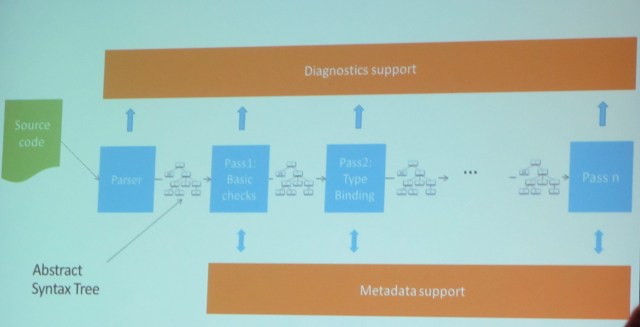
Simple parsing and analysis demo
Compile xpp – collect error messages
Create metadata provider
Get tabl emetadata
Compile class declaratino
Dump diagnostic messages
Run pipeline
Dump messages
“Macros are evil”
API is not elegant
Checkpoint
- You have seen how the metadata can be queried
- You now understand the concepts of Abstract Syntax Trees and how they relate to X++ source code.
- Let’s put this to good use!
Extending the compiler with BP rules demo
Visual Studio > File > New project > Use BP add in
Creates a template
There are white papers on writing BP checks
When you need to debug BP
Attach to XPPc agent
Check the wiki
Using the cross reference
- The cross reference database (DYNAMICSXREFDB) lives in the SQL database on your development box
- The format has been significantly simplified: it is mainly two tables
- Names
- References
- The cross reference powers the VS experience
Building the xref is relatively expensive but not absolutely expensive (4 minutes)
Q&A
Happy DAXing!




 janeteblake